

Microsoft has released a new SCCM KB39398030 hotfix for the current branch versions 2603, 2509, and 2503. Installing this update enhances the security and functionality of Configuration Manager by resolving critical issues related to scripts, SMS Provider, Message Processing Engine, and Discovery Data Record processing.
If you’re running SCCM 2603, the security update is available in the Updates and Servicing node of the console. Whereas for Configuration Manager versions 2509 and 2503 it is available with the following update rollups installed.
- KB37864969: Second update rollup for Configuration Manager 2509
- KB32851084: Update rollup for Configuration Manager 2503
I expect the upcoming version to be Configuration Manager 2609, and thereafter, Microsoft will limit current branch updates to once a year. Until then, keep your ConfigMgr setup updated with the latest hotfixes.
Installing the KB39398030 security update doesn’t require a computer restart, but does require a site reset after installation. See how to perform Configuration Manager site reset.
Hotfixes included with this update
The KB39398030 hotfix includes the following updates.
- KB38982839: Security update for the SMS Provider and administration service
- KB38232642: Security update for importing console extensions
For Configuration Manager version 2503:
KB37447175: Security update to harden access to Network Access Account information
Issues Fixed
The KB39398030 update fixes the following security issues in Configuration Manager:
- An issue with scripts.
- An issue with the SMS Provider.
- An issue with the Message Processing Engine.
- An issue with Discovery Data Record (DDR) processing.
Install SCCM KB39398030 hotfix
Open the SCCM console and go to Administration > Overview > Updates and Servicing. Select the Configuration Manager 2603 hotfix (KB39398030) and in the top-ribbon select Install Update Pack.
Note: If the state of the update shows as Ready to Download, wait for some time while it downloads in the background. If not, right-click the hotfix and choose Download.
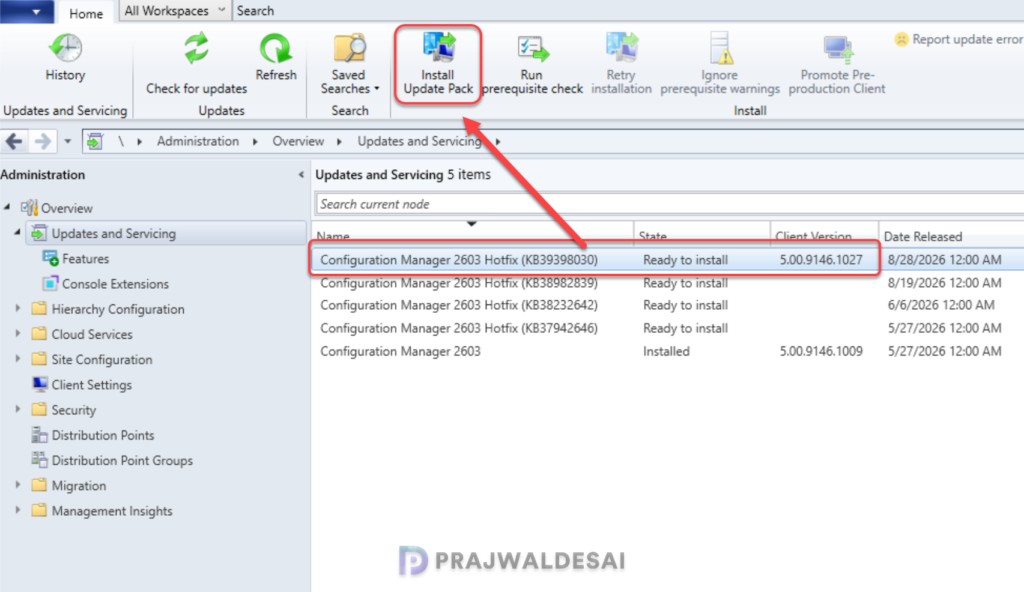
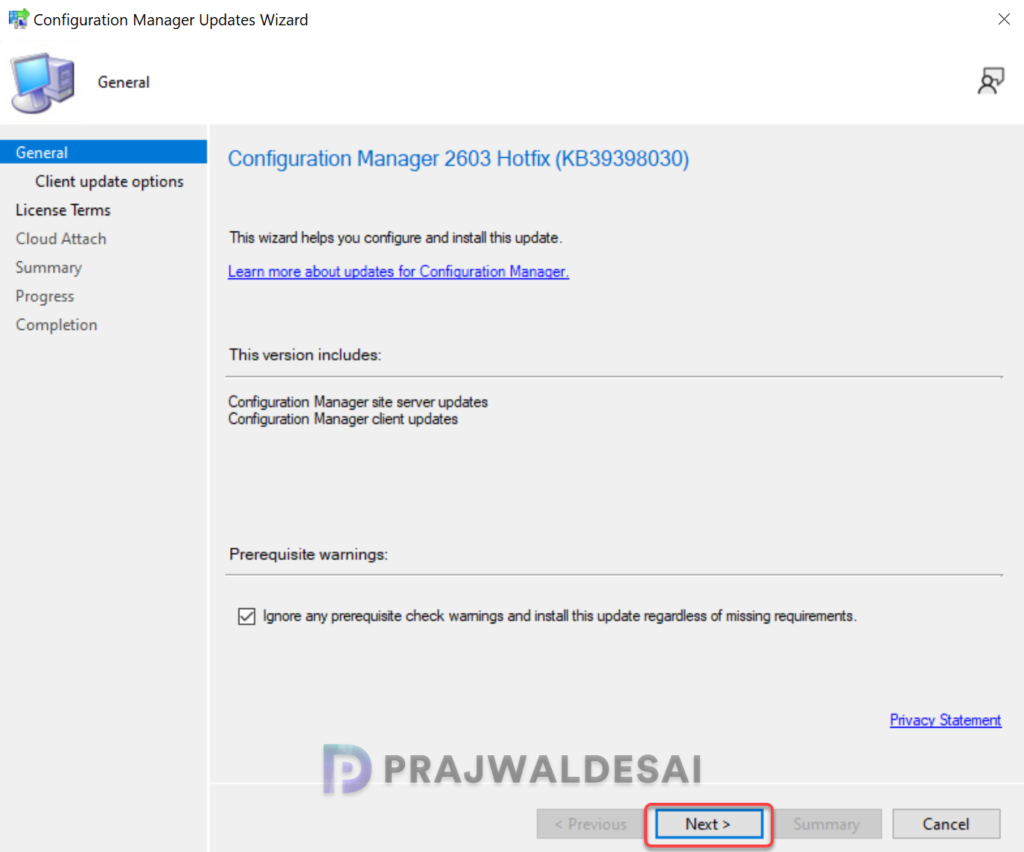
The hotfix includes updates for site servers and clients. I highly recommend running a prerequisite check before installing this update. Click Next.
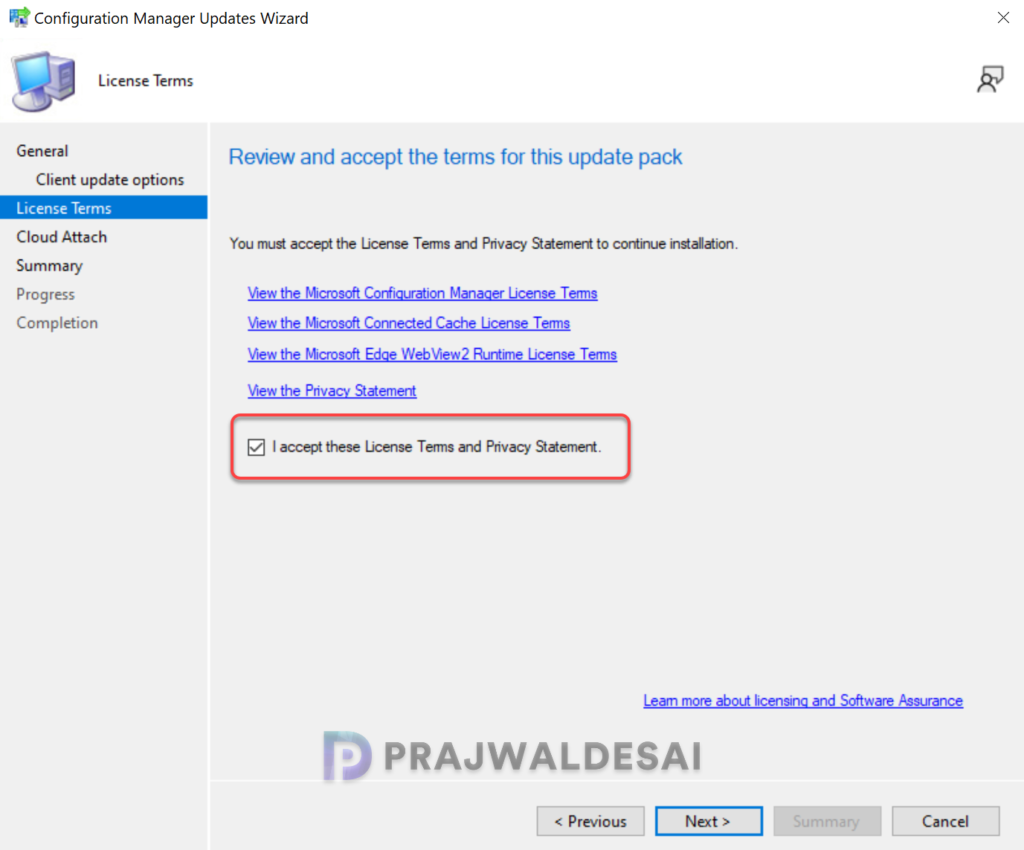
Accept the license terms for installing the update. Click Next.
Complete the remaining steps in the wizard and close the update installation wizard. The hotfix installation begins now.
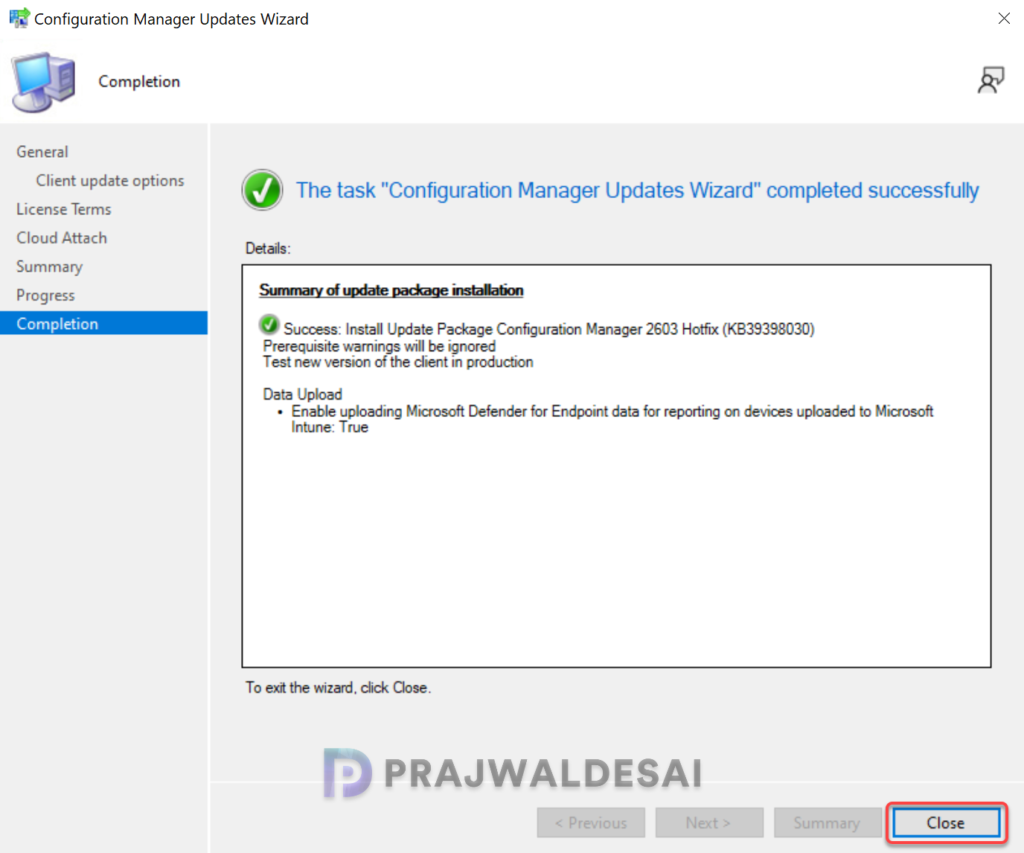
Console Update
Even though the Microsoft’s documentation for the hotfix KB39398030 doesn’t mention updating the console, I was asked to do so in my lab. It was probably an extension upgrade but do it if you are asked to.
Verify Hotfix Installation
To verify if the KB39398030 hotfix is installed, open the console and go to Administration > Updates and Servicing. If the State column for the hotfix shows ‘Installed‘, it means the update installation is completed.
Updating the hotfix on secondary sites
Secondary sites must be manually updated using the Recover Secondary Site option in the console. This must be manually done on all the secondary sites present in your setup.
On the Secondary site server, open the Configuration Manager console. Go to Administration > Site Configuration > Sites > Recover Secondary Site, and then select the secondary site. Run the following SQL Server command on the site database to check whether the updated version of a secondary site matches that of its parent primary site:
select dbo.fnGetSecondarySiteCMUpdateStatus ('SiteCode_of_secondary_site')If the above command returns value 1, it means the site is up-to-date, with all the hotfixes applied on its parent primary site. If the value 0 is returned, the site has not installed all the fixes that are applied to the primary site. You should use the Recover Secondary Site option to update the secondary site.
Upgrade clients
For ConfigMgr 2603, the hotfix KB39398030 updates the client agent version to 5.00.9146.1027. Make sure you upgrade the clients to the latest version to get the fixes and new features. For more help on upgrading the clients, refer to the guide on how to upgrade SCCM client to the latest version.
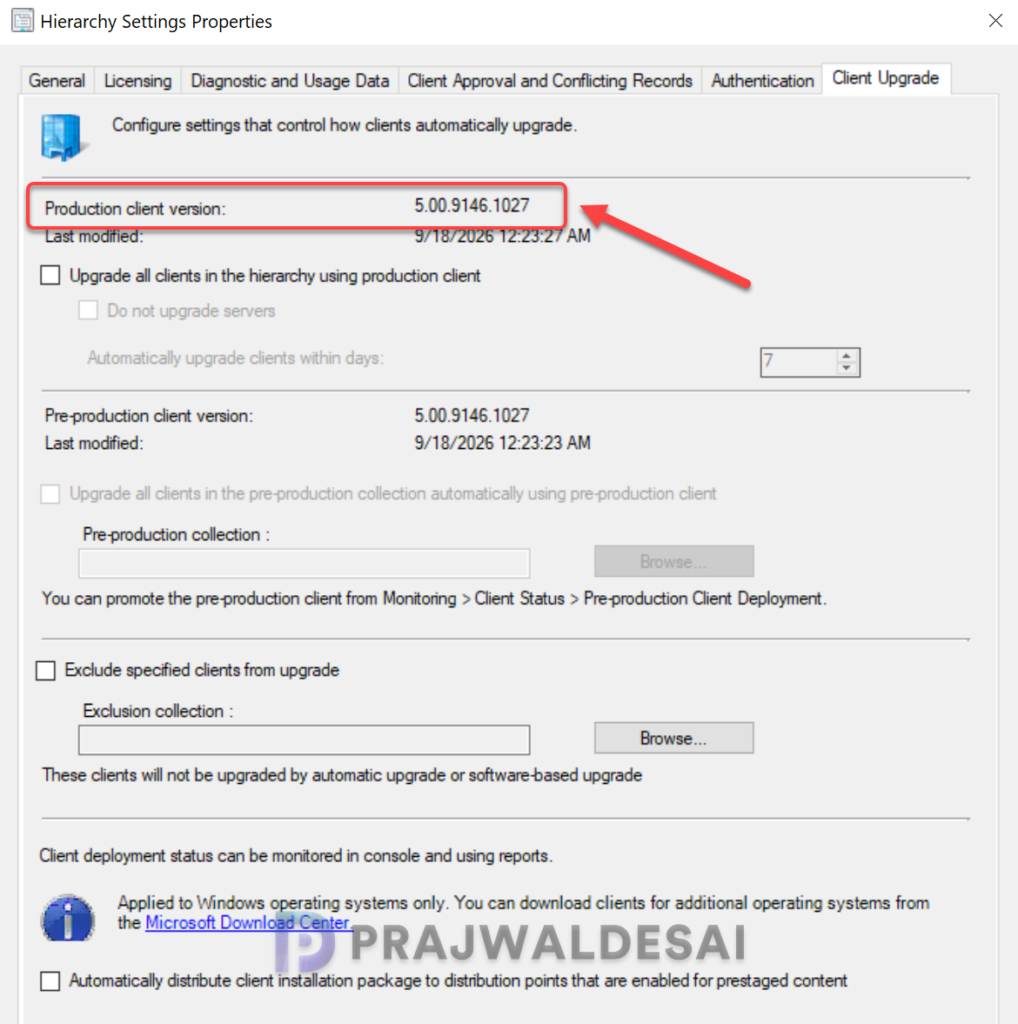
As the hotfix applies to various versions of Configuration Manager, the table below outlines the client version number for each respective version.
| Configuration Manager Version | Client Version |
|---|---|
| Configuration Manager console (2503) | 5.00.9135.1042 |
| Configuration Manager console (2509) | 5.00.9141.1041 |
| Configuration Manager console (2603) | 5.00.9146.1027 |

You didnt do any site reset?