

On June 17, 2026, Microsoft released a new hotfix KB38232642 for Configuration Manager versions 2603, 2509, and 2503. This update improves the security of Configuration Manager, ensuring safer operations when importing console extensions, which is crucial for maintaining system integrity.
The hotfix should be available in the Updates and Servicing node of the Configuration Manager console for version 2603 and version 2503 (with KB32851084 update rollup). The update does not require restarting your computer nor a site reset after installation. For more information, refer to the KB38232642 hotfix documentation by Microsoft.
This same security update is included with the second update rollup KB37864969 for Configuration Manager version 2509. A separate out of band hotfix is not required for version 2509. The hotfix only includes updates for Configuration Manager site server. No console or client upgrades are necessary after installing this update.
Install Configuration Manager Hotfix KB38232642
- Launch the Configuration Manager console on the server.
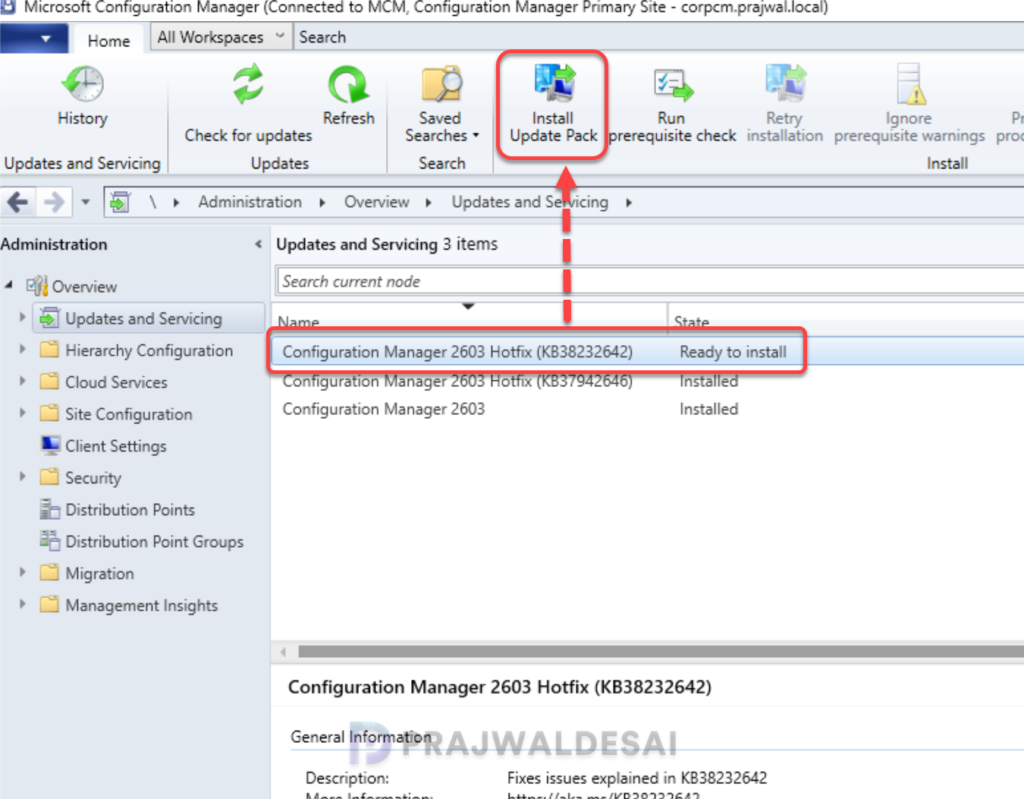
- Navigate to Administration\Overview\Updates and Servicing.
- Right-click Configuration Manager Hotfix (KB38232642) and select Install Update Pack.
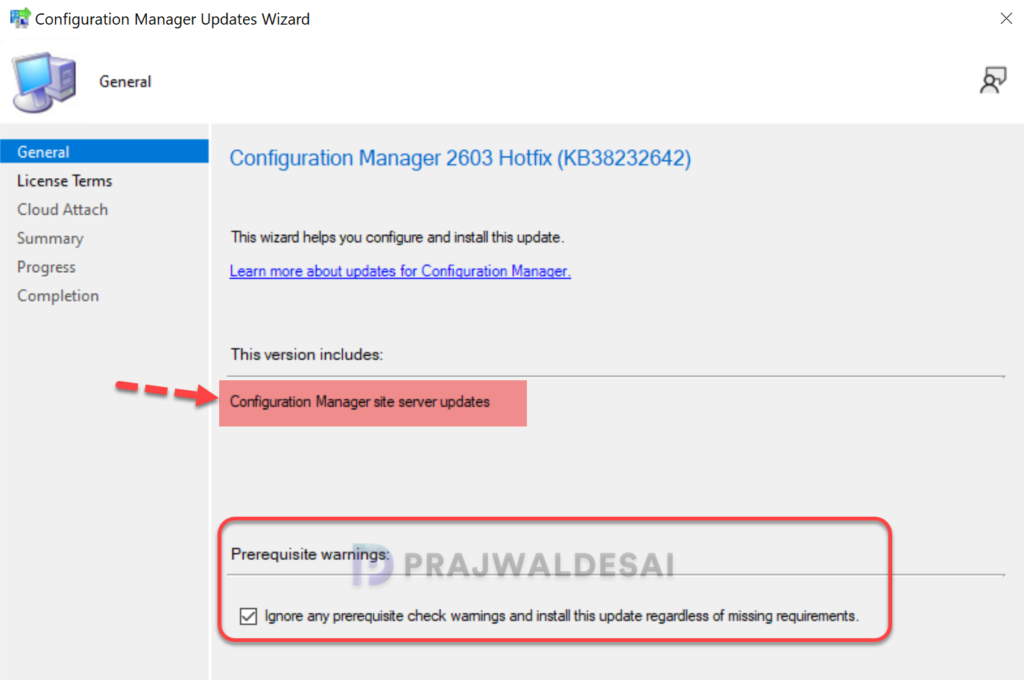
It is highly recommended that you run a prerequisite check for this update on your production server before installing it. For lab environments, you can enable the option “Ignore any prerequisite check warnings and install the update.” Click Next.
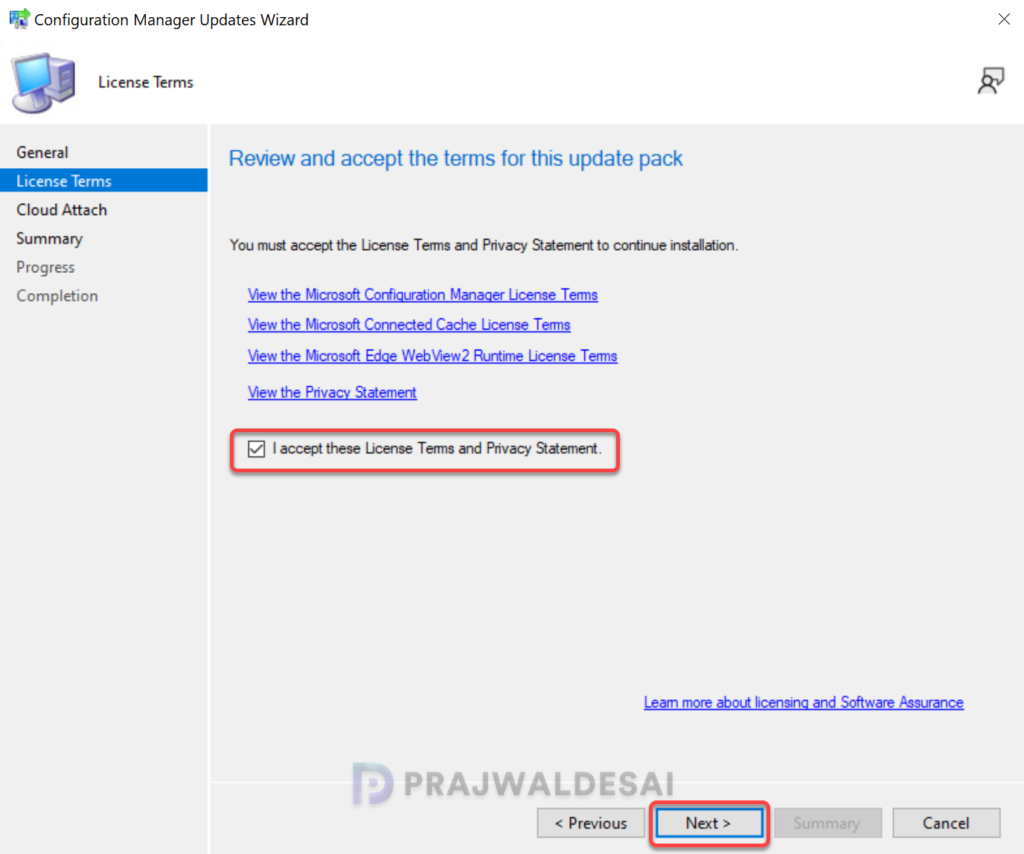
Accept the license terms required for installing the hotfix. Click Next.
Complete the steps included in the hotfix installation wizard and close the update installation wizard. The hotfix installation begins now.
Monitor Update Installation
To track the progress of hotfix installation, navigate to Monitoring\Overview\Updates and Servicing Status. If the hotfix fails to install, this section will show you the exact step where the update failed. Another way to monitor the hotfix installation progress is by reviewing the cmupdate.log file.
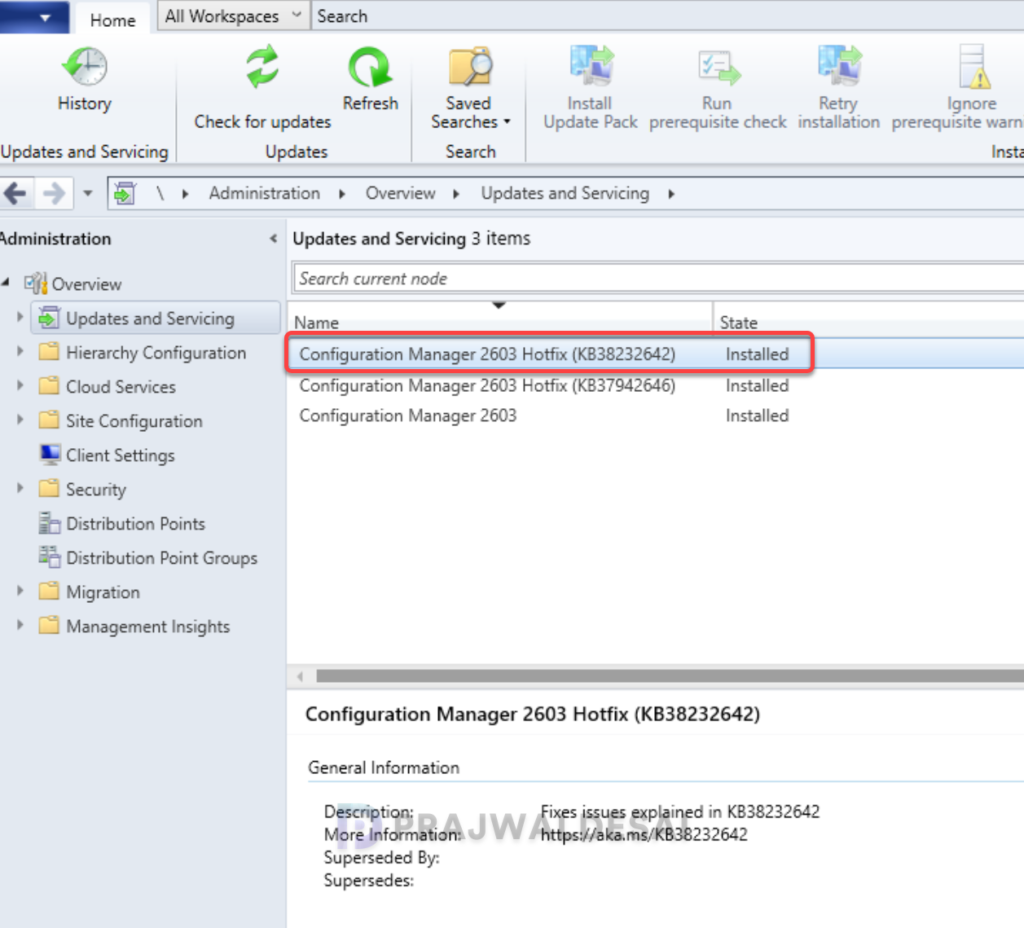
To verify if the KB38232642 hotfix is installed, open the console and go to Administration > Updates and Servicing. If the State column for the hotfix shows ‘Installed‘, it means the update installation is completed.
Post the hotfix installation, the Configuration Manager adminservice.controllers.dll is updated to the following versions:
- 2603: 5.0.9146.1021
- 2503: 5.0.9135.1031
Lastly, take a look at all the versions of Configuration Manager current branch and their build and console version numbers.
