

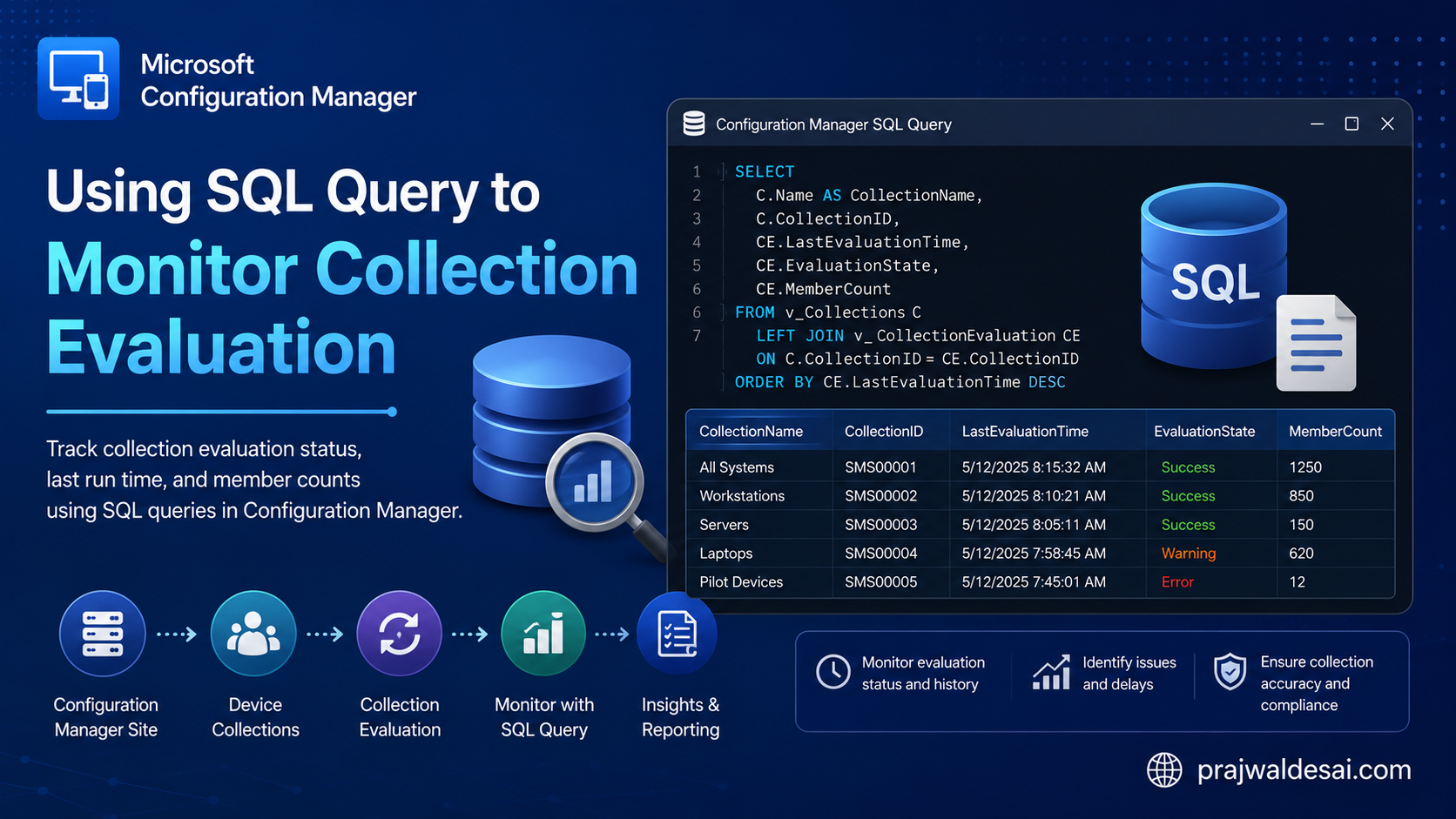
In this post, I will show you how you can use a simple SQL query to monitor collection evaluation in SCCM. Ideally, Microsoft provides the CEViewer tool for viewing and troubleshooting the collection evaluation process, but a SQL query is a faster and more efficient way to obtain the same information.
During an audit of a ConfigMgr environment last week, I observed that certain device collections were updating very sluggishly. These were massive collections with over 800 devices. In large organizations, it’s common to see refresh intervals set too high for some collections, forcing administrators to wait longer for updates to finish.
One way to get around this is to keep an eye on the collection evaluation procedure and spot any performance problems that may arise from slow evaluations or large collections. A SQL query can be used for this, and I believe the advantage is that it is much more accurate and faster. I’ve tested this query multiple times, and it functions flawlessly.
Monitor Collection Evaluation using SQL Query
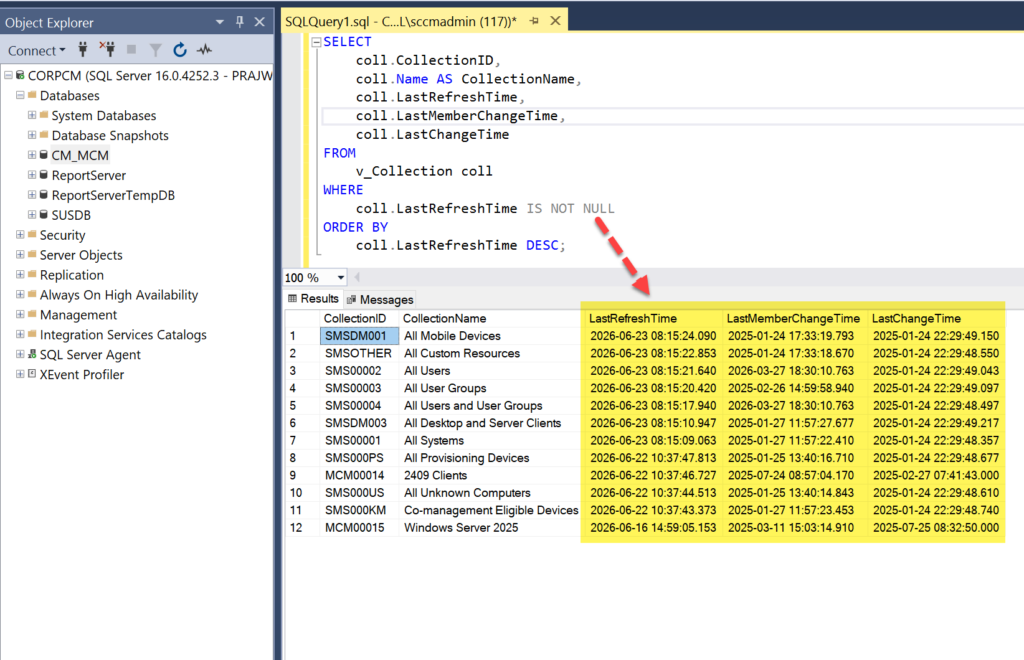
Launch the SQL Server Management Studio (SSMS) and connect to the database engine. Expand Databases, and right-click Configuration Manager database, and select New Query. In the query window, paste and execute the below query to monitor collection evaluation.
SELECT
    coll.CollectionID,
    coll.Name AS CollectionName,
    coll.LastRefreshTime,
    coll.LastMemberChangeTime,
    coll.LastChangeTime
FROM
    v_Collection coll
WHERE
    coll.LastRefreshTime IS NOT NULL
ORDER BY
coll.LastRefreshTime DESC;Numerous details are visible in the query output, including:
- Collection ID
- Collection Name
- Last Refresh Time
- Last Member Change Time
- Last Change Time
From the above fields, the most important one to look for is the Last Refresh Time of the collection.
I’ve included a second query below that can evaluate every collection in your configuration and yield extra information like the evaluation start time and the number of members in each individual collection. I hope the below query helps.
SELECT
    coll.CollectionID,
    coll.Name AS CollectionName,
    coll.LastRefreshTime,
    coll.LastMemberChangeTime,
    coll.LastChangeTime,
	  coll.MemberCount,
	  coll.EvaluationStartTime
FROM
    v_Collection coll
WHERE
    coll.LastRefreshTime IS NOT NULL
ORDER BY
    coll.LastRefreshTime DESC;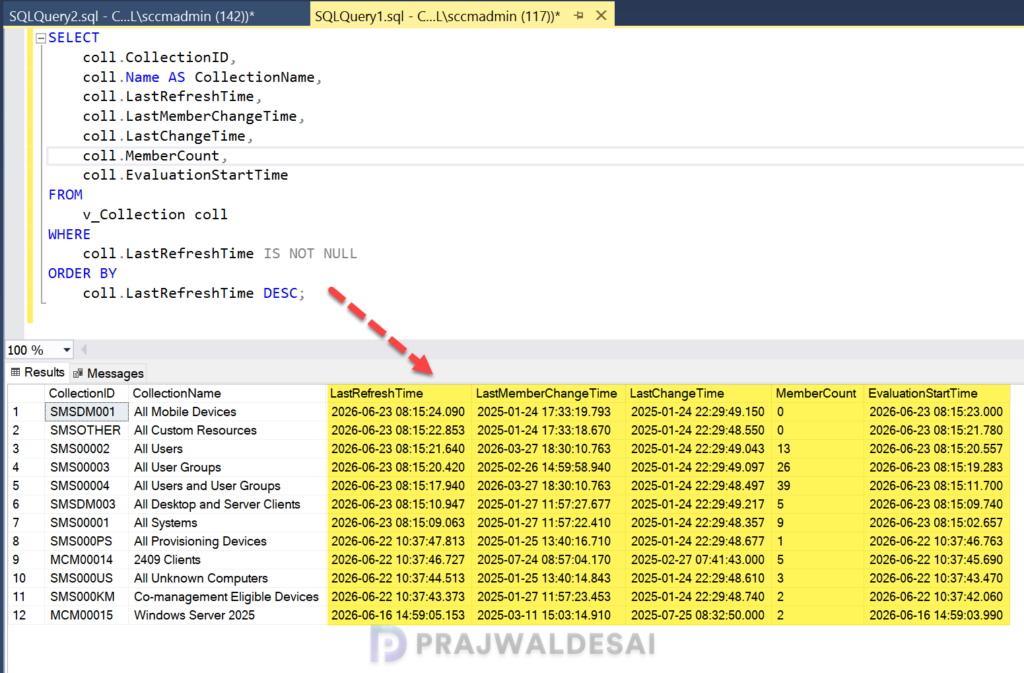
Further Reading
Check out some other useful SQL queries for Configuration Manager.
