


In this post, I will show you how to change the SCOM agent heartbeat interval. By default, the heartbeat interval for SCOM agent is set to 60 seconds, but you can modify this interval from the operations console or using PowerShell cmdlets.
System Center Operations Manager (SCOM) is a powerful tool for monitoring and managing IT infrastructure. When you install SCOM agents, the agents regularly communicate with the management server, sending out their health status and availability.
When an SCOM agent fails to send heartbeats to the management server, the “Health Service Heartbeat Failure” monitor is triggered. The management server then attempts to contact the computer by using ping. If the computer doesn’t respond to the ping, a ‘Failed to Connect to Computer‘ alert is generated. All this communication happens using TCP port 5723.
When to change the Heartbeat Interval of SCOM agent?
Administrators in large organizations should evaluate adjusting the heartbeat interval in specific scenarios.
- Reducing network traffic in large environments, especially when you have several devices configured for monitoring.
- Increasing the frequency of health checks for critical systems.
- Optimizing performance based on your infrastructure needs.
Changing the SCOM agent heartbeat interval
There are two ways to change the heartbeat interval for SCOM agents: Operations Console and PowerShell. The console method is much easier when compared to PowerShell unless you are good at using PS cmdlets. I will cover both the methods.
Method 1: Operations Console
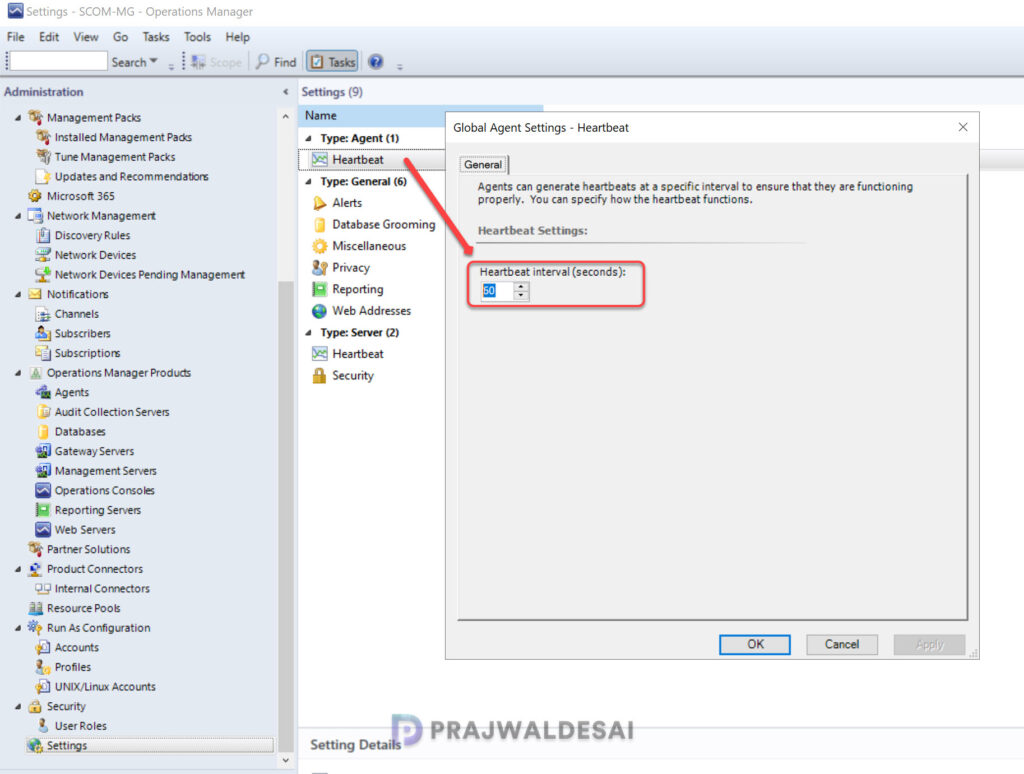
You can globally change the heartbeat interval of SCOM agent from the Operations console. First, launch the Operations console and go to Administration > Settings. Right-click Heartbeat and select Properties. In the General tab of Global Agent Settings, set the heartbeat interval from 60 seconds(default) to the desired value. Click OK to save the changes.
Method 2: PowerShell
PowerShell provides an alternative approach to modifying the heartbeat interval for SCOM agents in a management group. Using the Get-SCOMHeartbeatSetting cmdlet, you can find the current heartbeat settings for the management group and with Set-SCOMHeartbeatSetting, you can modify the heartbeat interval.
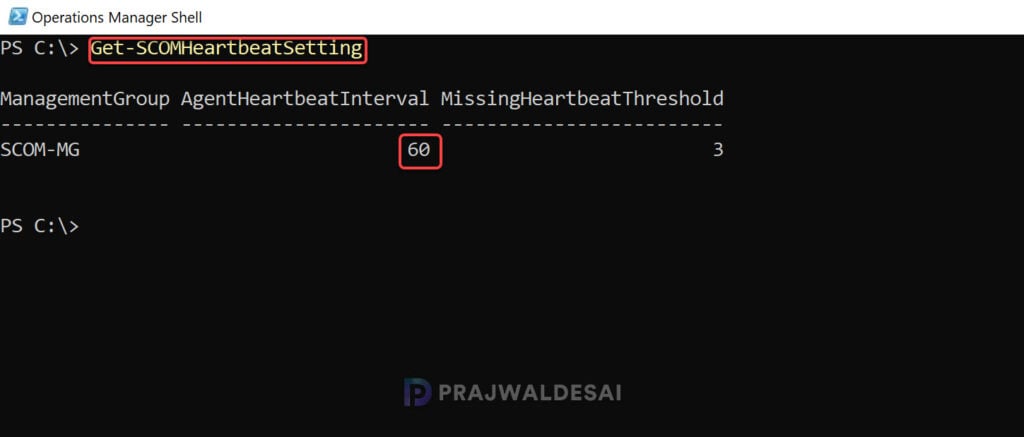
Launch the Operations Manager shell and run the below command to get the heartbeat settings for a management group.
Get-SCOMHeartbeatSettingThe command output indicates that the Agent Heartbeat Interval is set to 60 seconds. This is the default value as I mentioned earlier.
To change the heartbeat interval of agents, use the below command. In my case, the below command sets the heartbeat interval to 2 minutes (120 seconds). You can change the interval based on your requirements.
Set-SCOMHeartbeatSetting -HeartbeatInterval "0:02:00"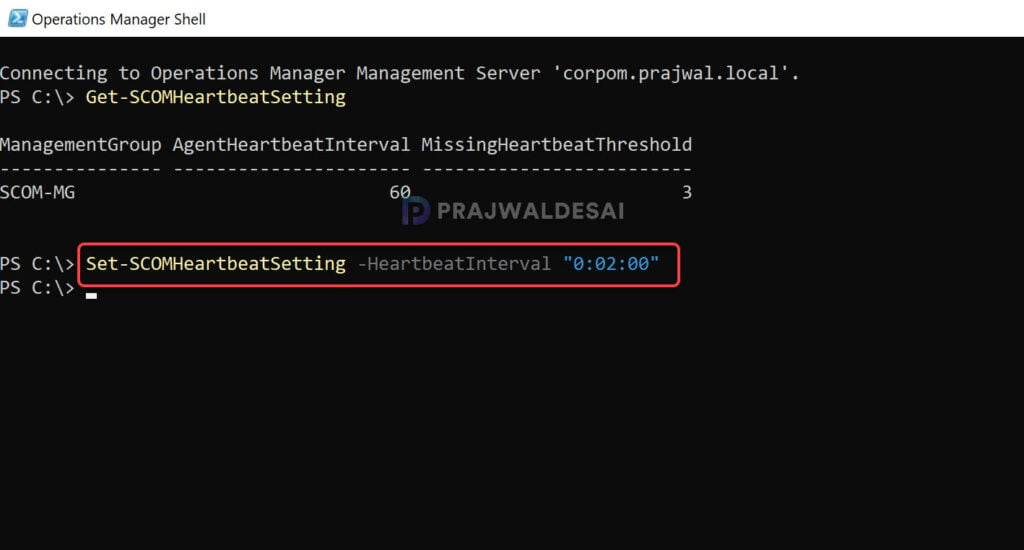
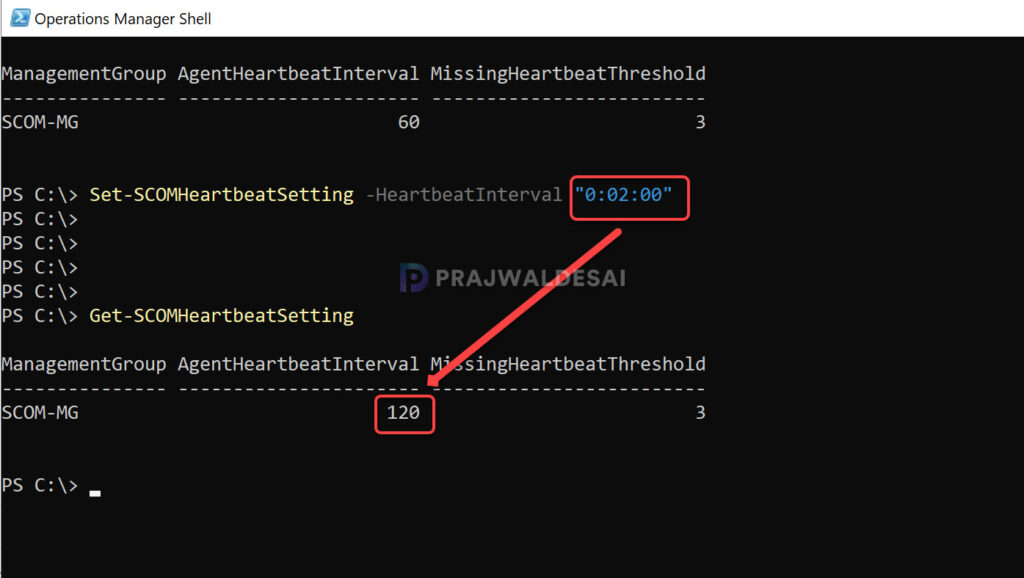
Run the command Get-SCOMHeartbeatSetting again and you will see that the heartbeat interval is changed to 120 seconds successfully. The changes are applied to all the agents within the specified management group.
Additionally, to modify the missing heartbeat threshold value, you can run the below command.
Set-SCOMHeartbeatSetting -MissingHeartbeatThreshold 5That’s it for this guide. If you have any questions or need assistance with configuring the heartbeat interval time for SCOM agents, feel free to reach out in the comments below.
