

On May 12, 2026, Microsoft released KB5087539, a security update for Windows Server 2025. This update enhances LSASS performance on DCs when Microsoft Defender is enabled, improves the reliability of SSDP notifications, resolves issues with the RDP security warning dialog, and adds support for Egypt’s 2023 DST change.
As with other cumulative updates, KB5087539 combines the newest fixes with previously released improvements from KB5082063 (released April 14, 2026) and KB5091157 (released April 19, 2026). That means administrators who install this update bring their servers up to the current servicing baseline without needing to apply older cumulative packages one by one. In enterprise environments, this helps simplify patch compliance and reduces fragmentation across server fleets.
This update forms part of Microsoft’s regular monthly servicing cycle and is designed to deliver the latest security protections and platform stability improvements to supported servers. If you’ve already installed previous updates, your device will download and install only the new updates included in this package.
Improvements and Fixes in KB5087539 Security Update
The May 2026 security update KB5087539 for Windows Server 2025 addresses the following issues.
- Secure Boot: Microsoft continues to deliver new Secure Boot certificates to eligible devices. This update adds a new SecureBoot folder under C:\Windows on eligible devices.
- Connectivity: Improves reliability of SSDP notifications, preventing service hangs.
- Daylight saving time (DST): Adds support for Egypt’s 2023 DST change.
- Domain Controllers: Improves LSASS performance when Microsoft Defender is enabled. Reduces CPU and memory usage during ETW collection.
- RDP Issue: Fixes incorrectly rendered RDP security warning dialogs in multi‑monitor setups with different scaling.
- Microsoft Account Sign‑In: Fixes an issue where users see “no Internet” errors during Microsoft account sign‑in despite having connectivity.
- Active Directory Certificate Services: This update adds support for Module‑Lattice‑Based Digital Signature Algorithm (ML‑DSA) post‑quantum signatures in Active Directory Certificate Services (AD CS).
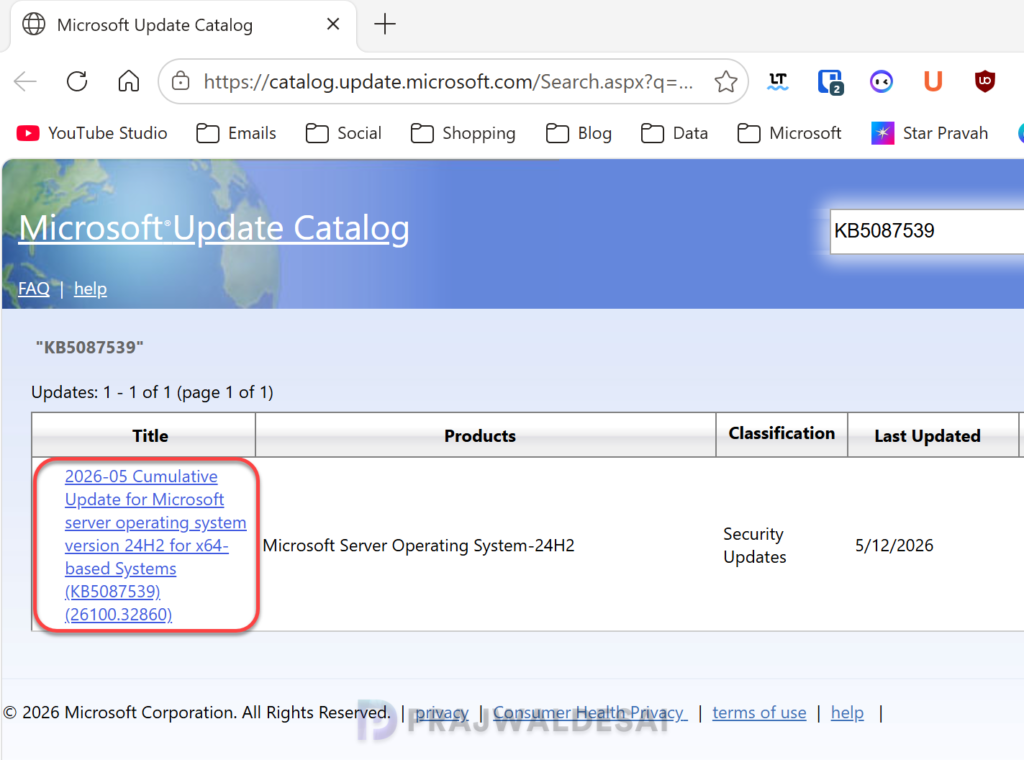
Get KB5087539 from Microsoft Update Catalog
On standalone servers, the KB5087539 cumulative update is delivered automatically from Windows Update. However, if you wish to get the standalone package(s) for this update, go to the Microsoft Update Catalog website and download it.
Install the KB5087539 via Windows Update
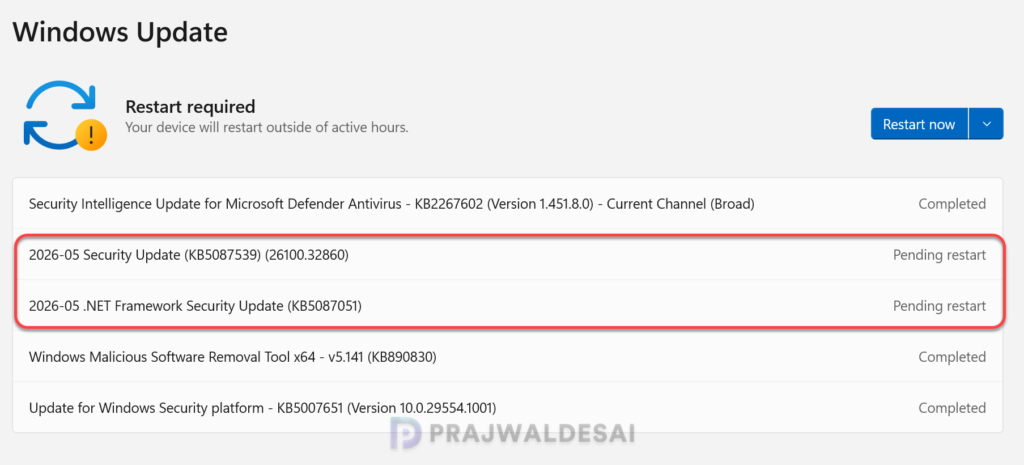
The KB5087539 update is offered through Windows Update for devices running Windows Server 2025. If you don’t see the update listed, open the “Windows Update” settings, turn on the “Get the latest updates as soon as they’re available” option, and click the “Check for Updates” button.
On my device, the following updates were installed: 2026-05 Security Update (KB5087539) (26100.32860) and 2026-05 .NET Framework Security Update (KB5087051).
The update requires a system reboot to complete the installation. Simply click the “Restart Now” button to restart your computer. Once your system restarts, your Windows Server 2025 build will be updated to version 26100.32860.
Patching KB5087539 update using WSUS/SCCM
In enterprise environments, the KB5087539 update can be deployed to servers using WSUS or Configuration Manager. If you don’t see this update either in WSUS or SCCM, you must manually import the update into WSUS.
To deploy the above update using Configuration Manager, ensure you open the console and synchronize the software updates. This will display all the latest updates from WSUS, including those you manually imported into the console.
Once the sync is complete, go to Software Library > Software Updates > All Software Updates. In the search bar, type “KB5087539” and click search. You should now see the update 2026-05 Cumulative Update for Microsoft server operating system version 24H2 for x64-based Systems (KB5087539) (26100.32860) listed in the console. From here, you can refer to the SCCM patching guide to deploy it to your Windows Server 2025 collection.
Known Issues
The May 2026 security update for Windows Server 2025 has the following known issues:
- Certain Windows Servers with a non-recommended BitLocker Group Policy configuration may prompt users to enter their BitLocker recovery key upon the first restart after applying this update.
- After installing KB5070881 or later updates, Windows Server Update Services (WSUS) does not display synchronization error details within its error reporting.
Hopefully, these issues will be addressed promptly in the upcoming update.
