

Microsoft has released KB5091157, an emergency update for Windows Server 2025 to resolve the issue where domain controllers may repeatedly restart in multi-domain forests that use Privileged Access Management (PAM). If you’re experiencing repeated LSASS crashes during startup, installing the KB5091157 out-of-band update released on April 19, 2026, resolves this problem.
After installing the KB5082063 April 2026 Windows security update and restarting the domain controllers, it was found that they might experience startup issues. In some cases, the Local Security Authority Subsystem Service might stop responding, leading to repeated restarts and preventing authentication and directory services, which can make the domain unavailable.
In addition to resolving the LSASS restart loops, the KB5091157 update also resolves an issue where Server 2025 devices might fail to install KB5082063 with error 0x800F0983. Along with this error, admins may also see the message that “Some update files are missing or have problems. We’ll try to download the update again later. Error code: 0x80073712.”
Updates for Resolving LSASS Restart Loops on Domain Controllers
To resolve the LSASS restart loops and installation timeouts, Microsoft released the following emergency cumulative updates for different versions of Server:
- Windows Server 2025: KB5091157
- Windows Server, version 23H2: KB5091571
- Windows Server 2022: KB5091575
- Windows Server 2019: KB5091573
- Windows Server 2016: KB5091572
Apply these updates based on the specific version of Windows Server installed in your setup.
Download KB5091157 from Microsoft Update Catalog
The KB5091157 cumulative update should be downloaded and installed automatically from Windows Update. However, if you wish to get the standalone package(s) for this update, go to the Microsoft Update Catalog website and download it.
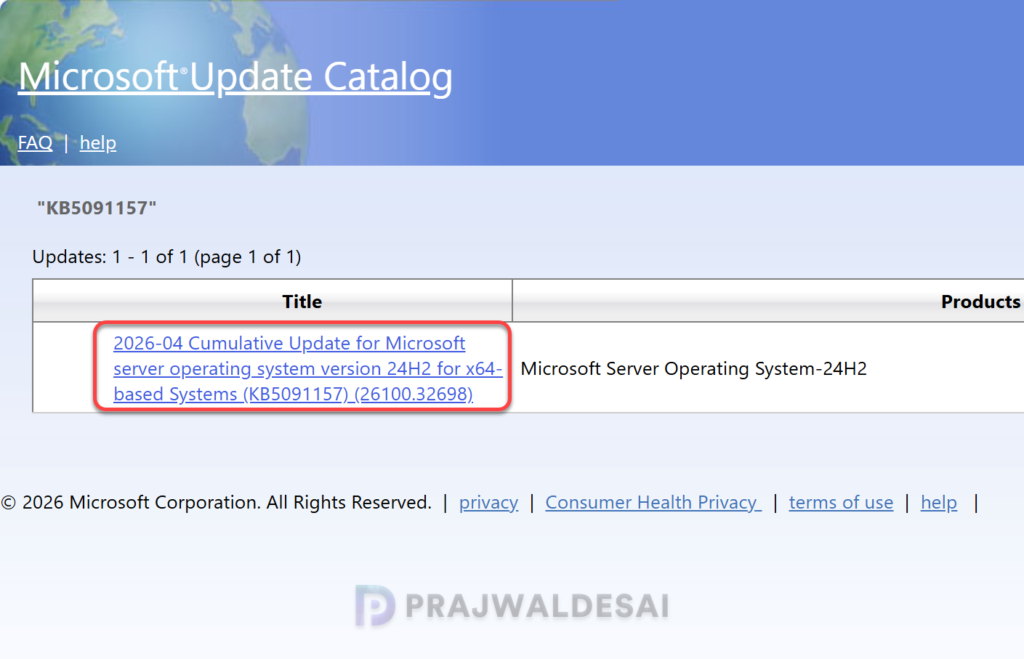
The KB5091157 April 2026 non-security cumulative update OS Build is 2,232.0 MB in size and supersedes the updates listed below.
- 2024-11 Cumulative Update for Microsoft server operating system version 24H2 for x64-based Systems (KB5046617)
- 2025-01 Cumulative Update for Microsoft server operating system version 24H2 for x64-based Systems (KB5050009)
- 2024-09 Cumulative Update for Microsoft server operating system version 24H2 for x64-based Systems (KB5043080)
- 2025-03 Cumulative Update for Microsoft server operating system version 24H2 for x64-based Systems (KB5053598)
- 2024-10 Cumulative Update for Microsoft server operating system version 24H2 for x64-based Systems (KB5044284)
- 2025-04 Cumulative Update for Microsoft server operating system version 24H2 for x64-based Systems (KB5055523)
- 2025-02 Cumulative Update for Microsoft server operating system version 24H2 for x64-based Systems (KB5051987)
- 2024-12 Cumulative Update for Microsoft server operating system version 24H2 for x64-based Systems (KB5048667)
- 2025-06 Cumulative Update for Microsoft server operating system version 24H2 for x64-based Systems (KB5060842)
- 2025-05 Cumulative Update for Microsoft server operating system version 24H2 for x64-based Systems (KB5058411)
- 2025-07 Cumulative Update for Microsoft server operating system version 24H2 for x64-based Systems (KB5064489)
- 2025-09 Cumulative Update for Microsoft server operating system version 24H2 for x64-based Systems (KB5065426) (26100.6584)
- 2025-09 Cumulative Update for Microsoft server operating system version 24H2 for x64-based Systems (KB5068221) (26100.6588)
- 2025-08 Cumulative Update for Microsoft server operating system version 24H2 for x64-based Systems (KB5063878) (26100.4946)
- 2025-07 Cumulative Update for Microsoft server operating system version 24H2 for x64-based Systems (KB5062553)
- 2025-10 Cumulative Update for Microsoft server operating system version 24H2 for x64-based Systems (KB5066835) (26100.6899)
- 2025-11 Cumulative Update for Microsoft server operating system version 24H2 for x64-based Systems (KB5068861) (26100.7171)
- 2025-10 Cumulative Update for Microsoft server operating system version 24H2 for x64-based Systems (KB5070881) (26100.6905)
- 2025-10 Cumulative Update for Microsoft server operating system version 24H2 for x64-based Systems (KB5070773) (26100.6901)
- 2025-11 Cumulative Update for Microsoft server operating system version 24H2 for x64-based Systems (KB5072359) (26100.7178)
- 2026-01 Cumulative Update for Microsoft server operating system version 24H2 for x64-based Systems (KB5078135) (26100.32236)
- 2025-12 Cumulative Update for Microsoft server operating system version 24H2 for x64-based Systems (KB5072033) (26100.7462)
- 2026-01 Cumulative Update for Microsoft server operating system version 24H2 for x64-based Systems (KB5077793) (26100.32234)
- 2026-04 Cumulative Update for Microsoft server operating system version 24H2 for x64-based Systems (KB5082063) (26100.32690)
- 2026-03 Cumulative Update for Microsoft server operating system version 24H2 for x64-based Systems (KB5078740) (26100.32522)
- 2026-01 Cumulative Update for Microsoft server operating system version 24H2 for x64-based Systems (KB5073379) (26100.32230)
- 2026-02 Cumulative Update for Microsoft server operating system version 24H2 for x64-based Systems (KB5075899) (26100.32370)
For Windows Server 2025 Enrolled in Hotpatching
If your Windows Server 2025 device is enrolled in hotpatching, you should instead install the OOB hotpatch update KB5091470. This out-of-band hotpatch update is delivered via Windows Update, offering the advantage of not requiring a device restart.
Install the KB5091157 update via Windows Update
The KB5091157 update is offered through Windows Update for devices running Windows Server 2025. If you don’t see the update listed, open the “Windows Update” settings, turn on the “Get the latest updates as soon as they’re available” option, and click the “Check for Updates” button.
Select the KB5091157 update and click Install. The update requires a system reboot to complete the installation. Simply click the “Restart Now” button to restart your computer. Once your system restarts, your Windows Server 2025 build will be updated to version 26100.32698.
Deploying KB5091157 OOB update via WSUS/SCCM
Organizations that rely on WSUS or Configuration Manager to distribute software updates to on-premise Windows Servers can deploy the KB5091157 update in a more controlled manner. If you don’t see this update either in WSUS or SCCM, you must manually import the update into WSUS.
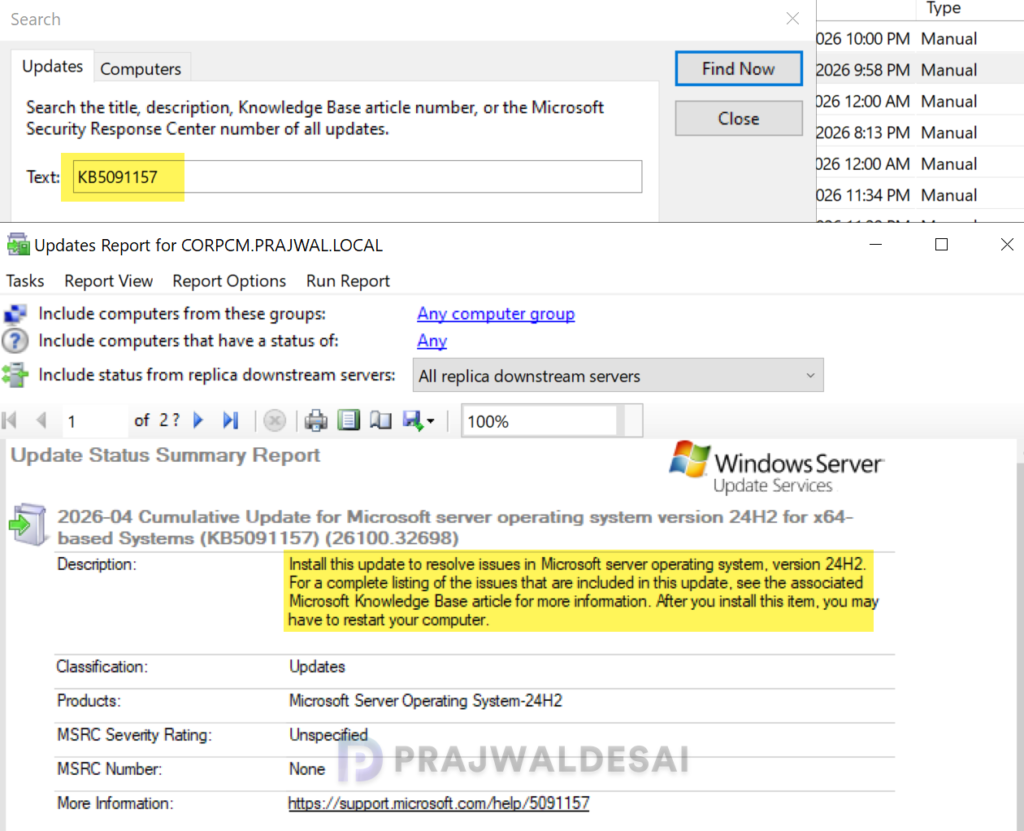
In the below image, I have successfully imported the KB5091157 out-of-band update into WSUS. If you’re using WSUS standalone in your setup, right-click the update and approve it. I suggest rolling out the update to a group of pilot devices initially, and once it’s confirmed that the update causes no issues, proceed to deploy it across all Windows 11 devices. The deployment occurs based on the schedule you’ve configured.
To deploy the above update using Configuration Manager, ensure you open the console and synchronize the software updates. This will display all the latest updates from WSUS, including those you manually imported into the console.
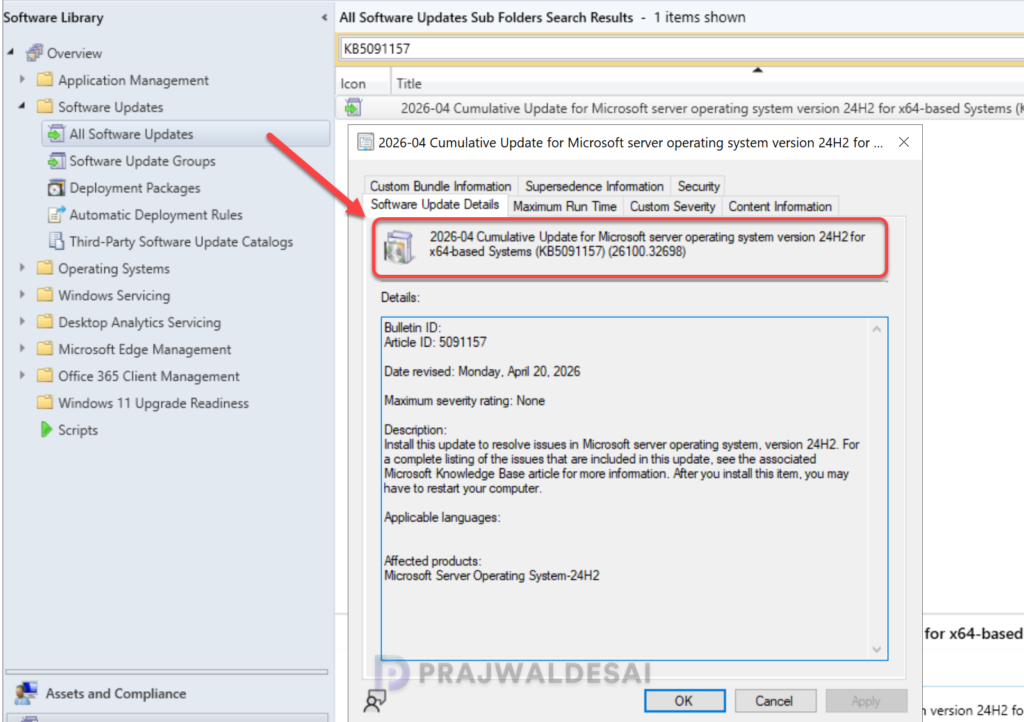
Once the sync is complete, go to Software Library > Software Updates > All Software Updates. In the search bar, type “KB5091157” and click search. You should now see the update 2026-04 Cumulative Update for Microsoft server operating system version 24H2 for x64-based Systems (KB5091157) (26100.32698) listed in the console. From here, you can refer to the SCCM patching guide to deploy it to your Windows Server 2025 collection.
Known Issues
The out-of-band (OOB) update for Windows Server 2025 (KB5091157) has the following known issues:
- Windows Server Update Services (WSUS) does not display synchronization error details within its error reporting.
- After installing this update, the security warning that appears when opening Remote Desktop (RDP) files might not display correctly in some cases.
- Certain Windows Servers with a non-recommended BitLocker Group Policy configuration may prompt users to enter their BitLocker recovery key upon the first restart after applying this update.
Surprisingly, the known issues mentioned above are also present in the KB5087539 update released in May 2026 for Windows Server. Hopefully, these issues will be addressed promptly in the upcoming update.
