


In this post, I will help you out with some useful solutions to resolve the error SCCM administration service is unavailable.
The SMS provider provides API interoperability access over an HTTPS OData connection, called the administration service. This REST API can be used in place of a custom web service to access information from the Configuration Manager site.
Configuration Manager natively uses the administration service for several features, including the console extensions. Starting in version 2111, the option to enable the Configuration Manager console to use the administration service is removed. The administration service is always ON, so the console will use it when needed.
SCCM Administration Service Is Unavailable
Recently, I encountered an error message when I tried to access Administration > Overview > Updates and Servicing > Console Extensions. The error message was “Configuration Manager can’t connect to the administration service. The Configuration Manager console can’t connect to the site database through the administration service on the server. Check the following: The administration service is unavailable.”
This error indicates that the ConfigMgr console can’t reach the SMS Provider or Administration Service endpoint on your site server. Some common causes for this error are as follows:
- SMS provider issues
- Problems with IIS Configuration
- Certificate issues such as certificate expired, etc.
- Failed or incomplete SCCM upgrade
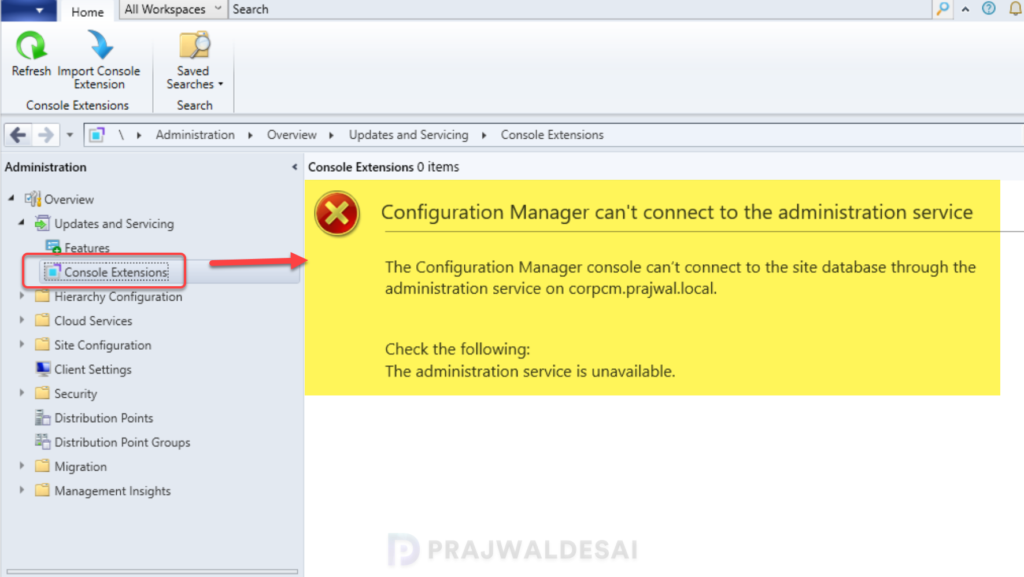
In my case, I had problems with the administration service, and the SMSAdminUI.log showed the following errors:
[1, PID:7304] System.Net.WebException: The remote server returned an error: (503) Server Unavailable.
[1, PID:7304] Failed to get a response for OData GET request: https://corpcm.prajwal.local/AdminService/v1.0/ConsoleExtensionMetadata?$filter=IsApproved eq false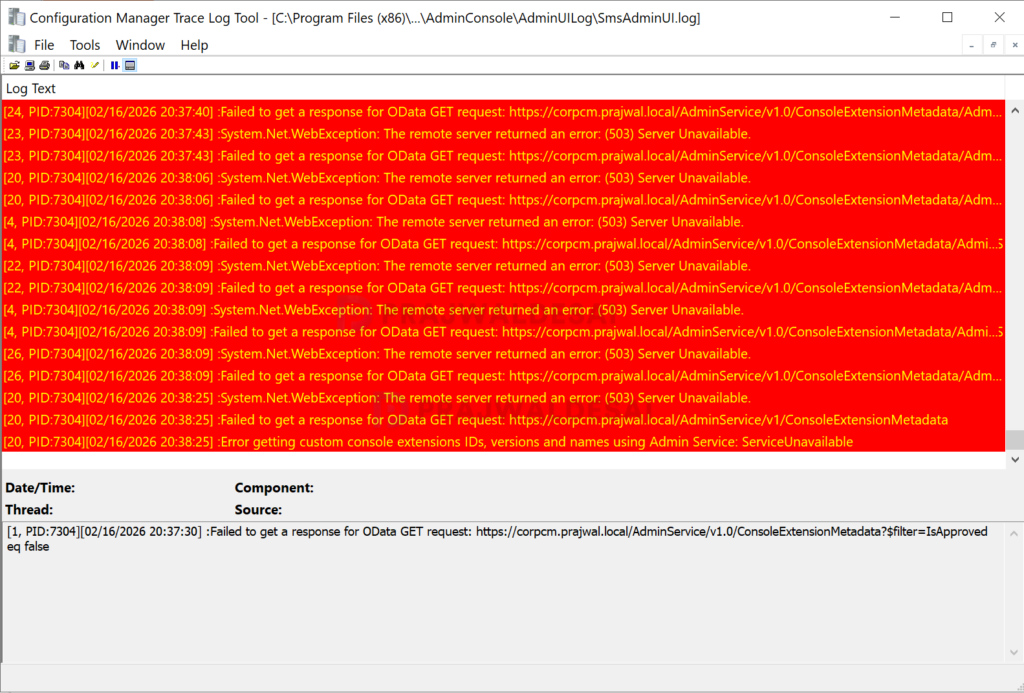
The administration service logs its activity to the adminservice.log file on the SMS Provider server in the Configuration Manager installation directory. I noticed the following lines in the log file.
Site server is being upgraded. AdminService is temporarily unavailable.
Completeing request with response code [503]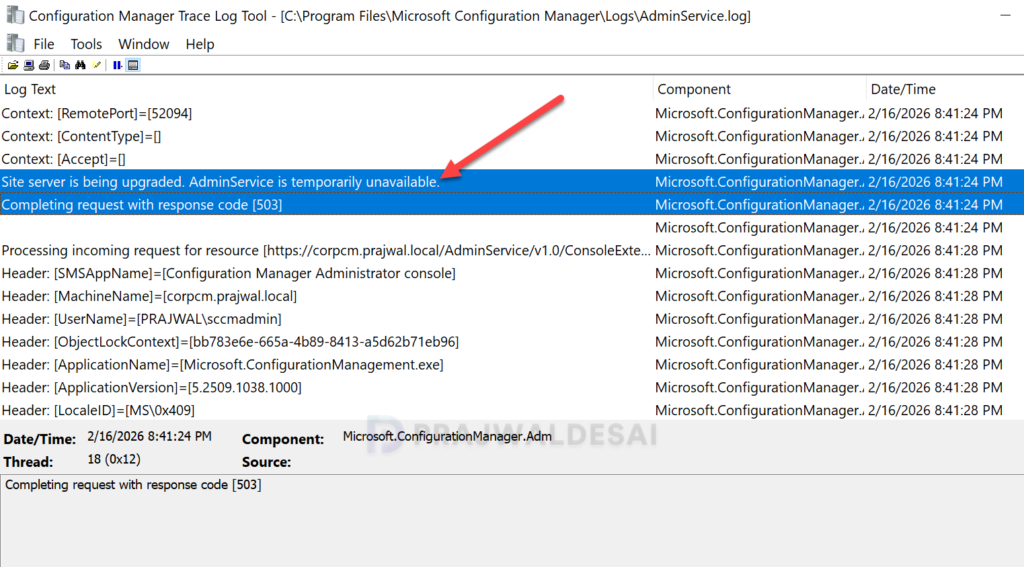
Solution 1: Verify the SMS Provider Is Healthy
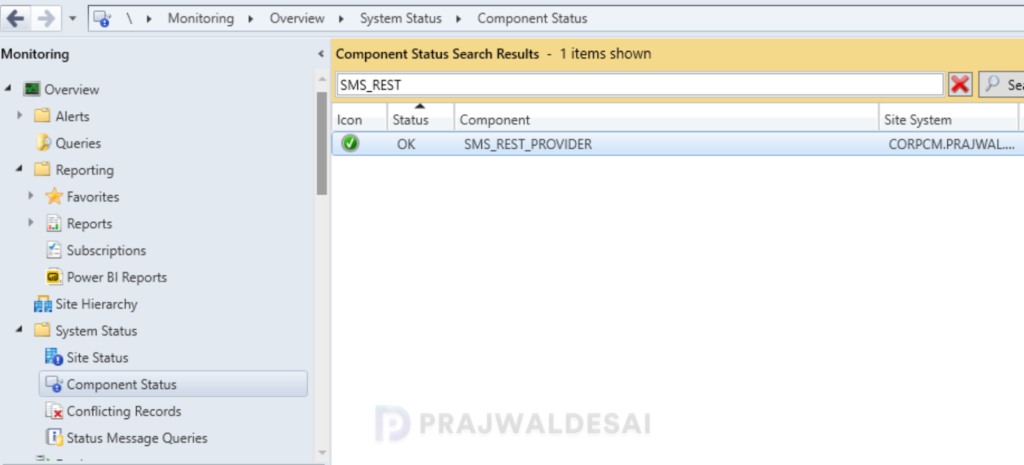
To check if the SMS_REST_PROVIDER component is healthy, open the console and go to Monitoring > Overview > System Status > Component Status and look for SMS_REST_PROVIDER. A green circle with a tick signifies that the component is active and functioning properly.
Solution 2: Test the AdminService URL
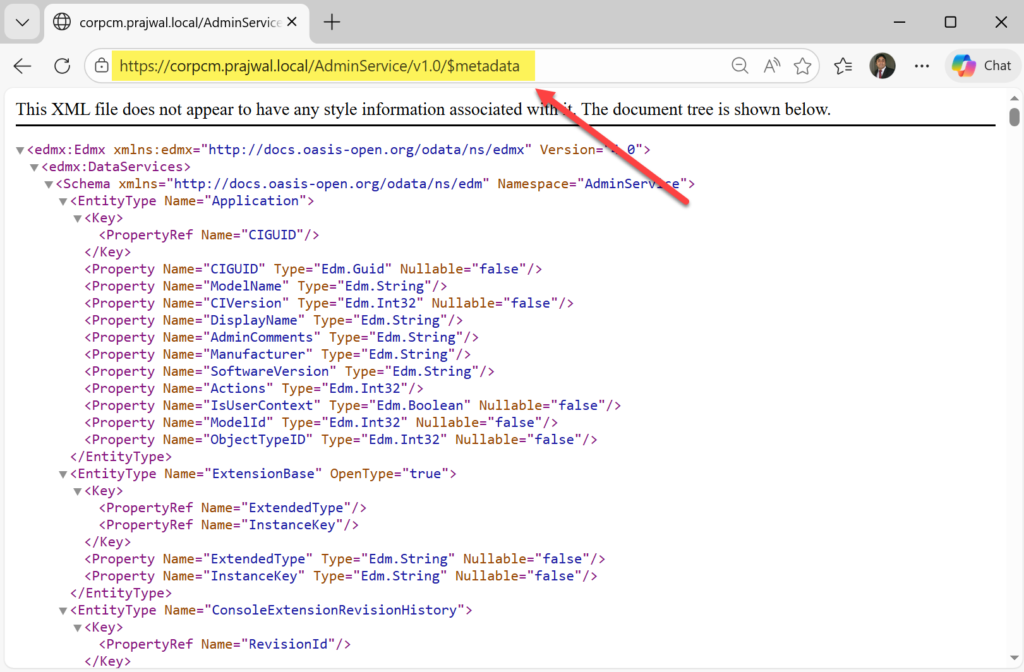
One of the basic troubleshooting steps for troubleshooting the administration service is to check if the admin service is responding to HTTPS. From a browser on your workstation or on the primary server itself, open a browser and access the below links.
- https://<PrimaryServerFQDN>/AdminService/v1.0/
- https://<PrimaryServerFQDN>/AdminService/v1.0/$metadata
If you still get 503, that’s almost certainly IIS/app pool on the primary server.
Solution 3: Verify Certificates
Ensure the server has a valid server authentication certificate. If using Enhanced HTTP, verify the SCCM-generated certificate is valid. Open the PowerShell as administrator and run the below command.
Get-ChildItem Cert:\LocalMachine\My | Where-Object { $_.Subject -like "*SMS*" }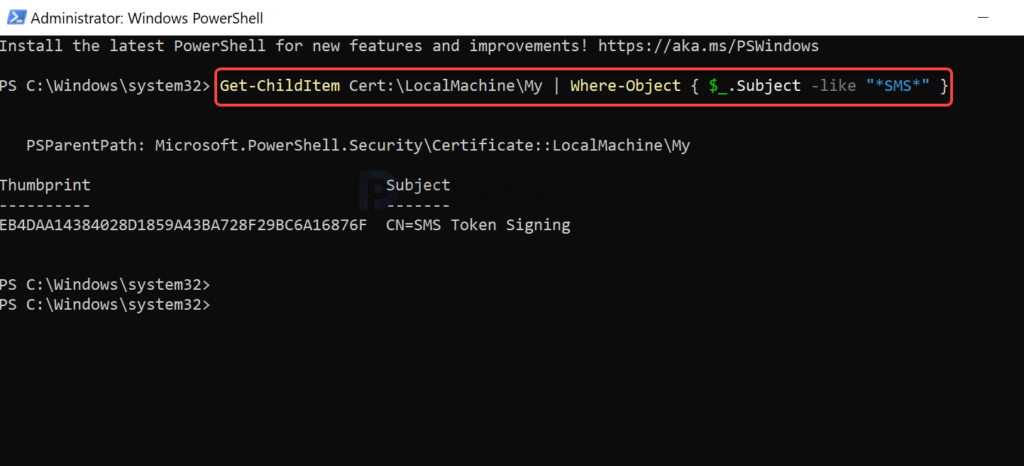
Solution 4: Restart ConfigMgr Services
You can try restarting the below services in order and see if that resolves the administration service problems. Refer to the guide on restarting the SMS Exec service using different methods. In most cases, restarting the below services resolves the sccm administration service is unavailable error.
# Restart SMS Executive Service
Restart-Service -Name "SMS_EXECUTIVE" -Force

# Restart SMS Site Component Manager
Restart-Service -Name "SMS_SITE_COMPONENT_MANAGER" -Force

# Restart WMI
Restart-Service -Name "Winmgmt" -Force

# Restart IIS
iisresetSolution 5: Review SMS Provider logs
Whenever you encounter any issues with the SMS Provider role, review the following logs.
| Log File | Purpose |
|---|---|
| AdminService.log | Primary log for the Administration Service |
| SMS_REST_PROVIDER.log | REST provider activity |
| SMSProv.log | SMS Provider operations |
| hman.log | Hierarchy Manager (certificate issues) |
For a list of logs for other components, refer to Configuration Manager logs.
Solution 6: Verify Firewall and Ports
Most administrators are aware of the firewall ports used in Configuration Manager. Ensure the following ports are open in your setup.
- TCP 443 (HTTPS for AdminService)
- TCP 135, 49152-65535 (RPC for WMI/SMS Provider)
Solution 7: Reinstall the SMS Provider (Last Resort)
If none of the above works, launch the Configuration Manager setup and select Modify Site, and then change the SMS Provider location. Move it to another server, then move it back.

Getting this error.
also https:///AdminService/v1.0/$metadata sats 404 file not found.
Cert looks ok
I have no SMS_REST_PROVIDER.log and in component status for SMS_REST_PROVIDER it looks like its trying to install but continues to fail. I also tried to fix with re running setup.exe but it does not fix the issue. Not sure what’s going on or what to try next