

In this post, I will show you how to find distribution points not serving content to clients using proactive management insights in SCCM. After identifying these unused DPs, you can proceed with actions like disassociating them from boundary groups and removing their site system role.
Last week, I was auditing a complex SCCM environment and I noticed the previous administrator had setup multiple distribution points for some remote sites and they weren’t actually delivering any content to clients.
Upon investigation, I discovered that these DPs were configured as backup distribution points for multiple sites but had not been in use for several months. Unused distribution points containing several gigabytes of content can lead to a significant waste of hardware resources.
If you find yourself in this scenario and want to identify the distribution points that are redundant or not being used in your setup, you can leverage the management insights feature in Configuration Manager.
Find Distribution Points Not Serving Content to Clients
Launch the Configuration Manager console. Navigate to Administration\Management Insights\All Insights\Proactive Maintenance. Right-click Distribution Points Not Serving Content to Clients management insight and select Evaluate.
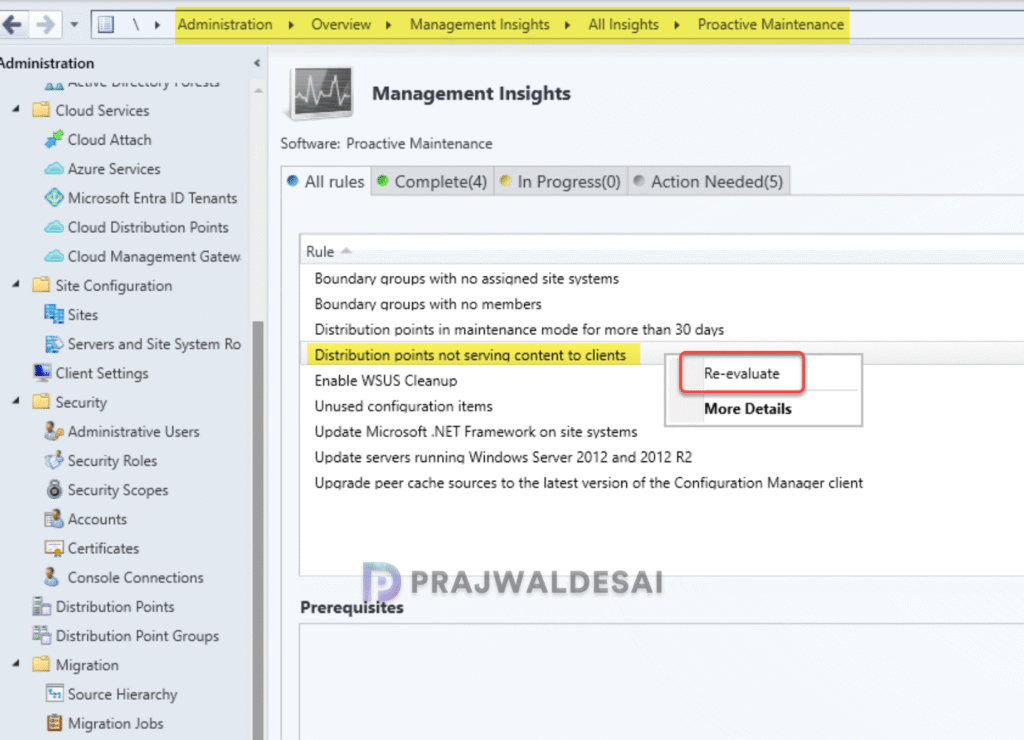
The insight will now run in the background to see which of the distribution points have not served content to clients in the past 30 days. The data is based on the download history reported by clients.
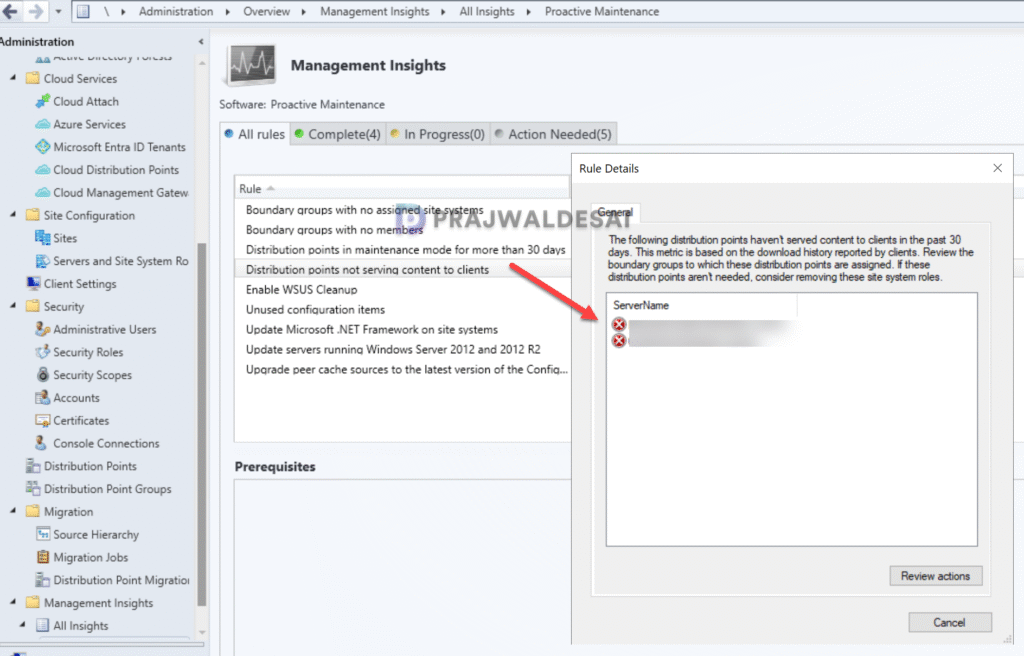
Right-click on the same management insight and select More Details. In the Rule Details window, you will see a list of distribution points that have not delivered any content to clients in the past 30 days.
Further Actions
Once you have determined the unused distribution points, review the boundary groups to which these DPs are assigned. If these aren’t needed, consider uninstalling the DP role from each server. Check the distmgr.log to monitor the progress of the role uninstallation.
Lastly, make sure at least one DP is associated with a boundary group for serving content to the clients.
