

In this post, I will show you how to uninstall SCCM Secondary Site. You can remove Secondary Site along with all of its components from the configuration manager console.
There are two options that you see when you delete a secondary site.
- Uninstall a Secondary Site
- Delete a Secondary Site
There is a difference between uninstalling and deleting a secondary site. We will study each of these option during the uninstall step.
In my previous blog post, I have covered about the step-by-step guide on SCCM secondary site installation. Along with it comes the Secondary site troubleshooting.
If you have got clients in remote network locations and slow WAN link, secondary site is the solution. You can manage the secondary site using CAS and a primary site.
When you install a secondary site in SCCM, the distribution point role and management point role is also installed. Most of all secondary sites automatically install SQL Server Express during site installation. You could also install use local instance of SQL server instead of SQL express.
Why would you uninstall SCCM secondary site ?. The answer is you may not require the secondary site anymore. You may have setup secondary site in a remote office however if the office is being closed, you don’t need it.
Prerequisites to Uninstall SCCM Secondary site
Following are the prerequisites to uninstall SCCM Secondary site. The administrative user that runs Configuration Manager setup needs the following security rights:
- Local Administrator rights on the secondary site server.
- If the primary site database server is remote from the primary site server, local Administrator rights on the remote site database server for the primary site.
- Infrastructure Administrator or Full Administrator security role on the parent primary site
- Sysadmin rights on the secondary site database
How to Uninstall SCCM Secondary Site
Follow these steps in order to uninstall SCCM secondary site from your hierarchy.
- First launch the SCCM console.
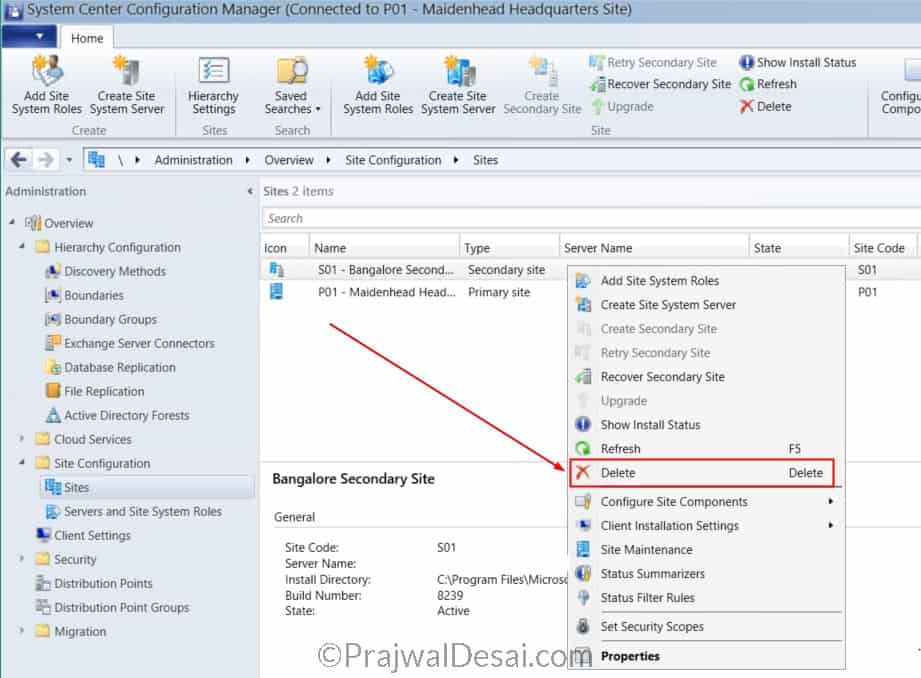
- In the console navigate to Administration > Overview > Site Configuration > Sites.
- Select the Secondary site, right click and click Delete.
- With this you can uninstall SCCM Secondary site.
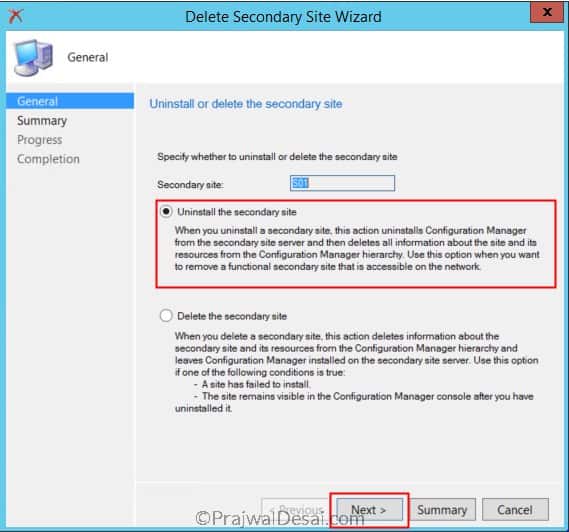
In the next step you see two options Uninstall and Delete.
Choose Uninstall the secondary site option if you want to remove a secondary site that is accessible on network. Choosing this option uninstalls SCCM from secondary site server and deletes all the site info and resources from SCCM hierarchy.
Choose Delete the secondary site option if you know that a site install has failed or if the site is visible in SCCM console even after uninstalling it. This option deletes the info about secondary site and it’s resources from SCCM hierarchy. However it leaves ConfigMgr installed on secondary site server.
Choose Uninstall the secondary site and click Next.
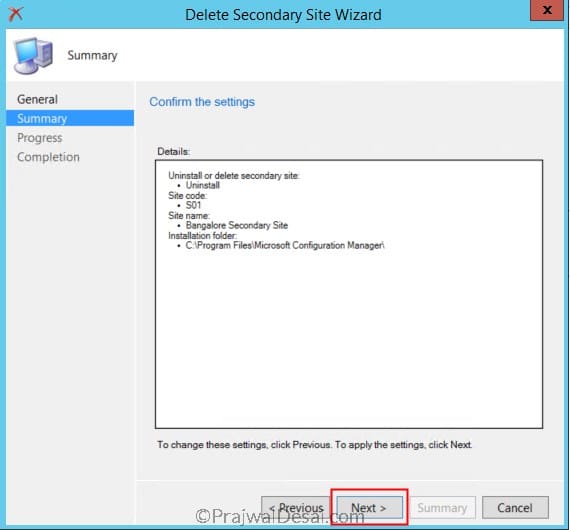
On Summary page click Next.
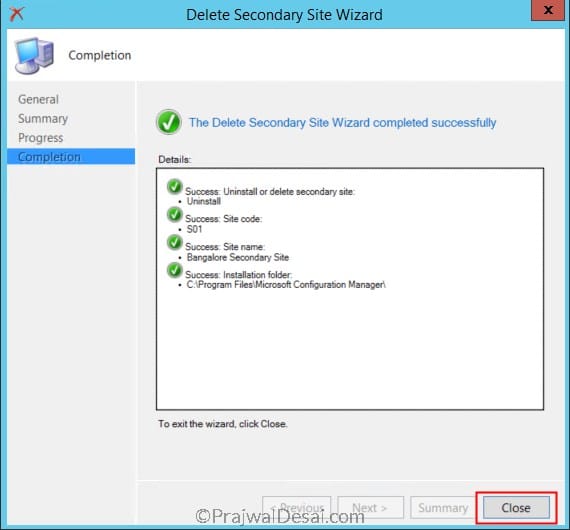
Finally on the completion page click Close.
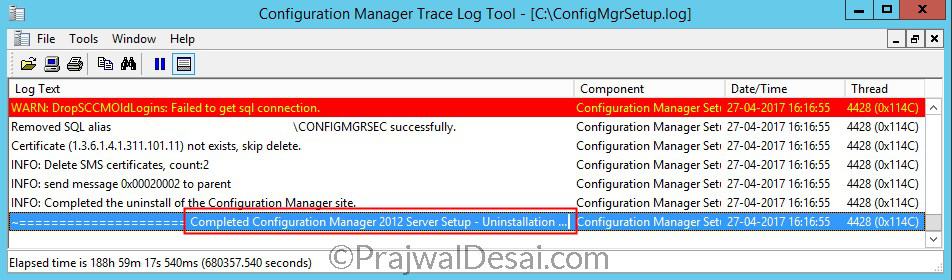
SCCM Secondary Site Uninstall Log File
After you uninstall SCCM secondary site, you can monitor the uninstall progress using ConfigMgrSetup.log. This log file is located on the root drive of secondary server.
In the ConfigMgrSetup.log look for the line Uninstallation of secondary site completed successfully.
Video Tutorial
I have published a video tutorial on how to uninstall ConfigMgr Secondary site from your hierarchy. You can also subscribe to my YouTube channel for more SCCM training videos.

Howdy,
Is there a way to move a Systems Site server that is currently associated with one Primary Site to a newly created Primary Site with a different Site Code number?
Prajwal – I enjoy reading your posts. Quick question, what happens to the clients after removing the secondary site? Are they updated to the site code for the primary site? I am considering removing three secondary sites and replacing them with an MP and a DP from the primary site. Does this make sense? Which uses more WAN bandwidth; a secondary site with the database replication or an MP off the primary site?
Thank you for the excellent walk-thru.