

In this guide, I will explain how you can generate SUP sync failure alerts in your Configuration Manager hierarchy so that admins are notified about this problem and can take further actions.
Last week, I dealt with a Configuration Manager issue where synchronization failed repeatedly because of an issue with the software update point role. The real issue, however, was identified in the logs after some troubleshooting, and everything worked well afterward. The customer wanted to know if there was a way to receive alerts in the console whenever SUP synchronization fails.
In a previous guide, I detailed how to generate failure status alerts when your management point isn’t functioning properly. The Software Update Point role is just as crucial for synchronizing updates and must be operational to deliver software updates to Configuration Manager clients.
Tip: Whenever you encounter any issues during SUP synchronization, review the SCCM logs to identify the actual problem. The monitoring workspace in the console may not display the actual error, and without logs, it would be difficult to trace the issue.
Generate SUP Sync Failure Alerts in your Hierarchy
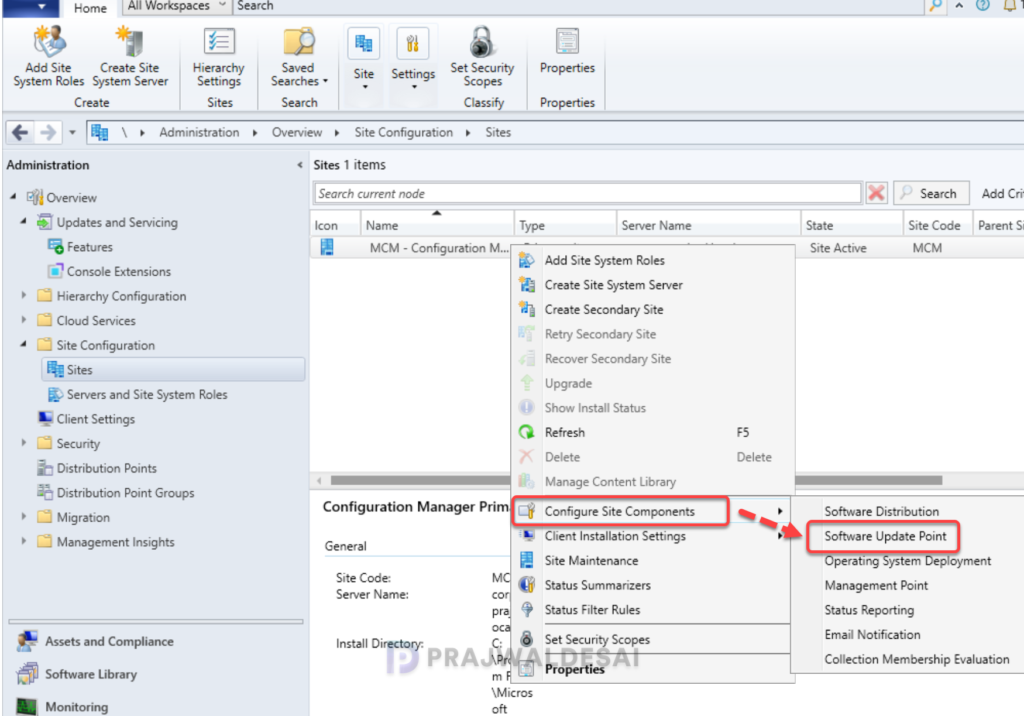
Launch the Configuration Manager console. Navigate to Administration > Overview > Site Configuration > Sites. Right-click the primary site server installed with the SUP role, and select Configure Site Components > Software Update Point.
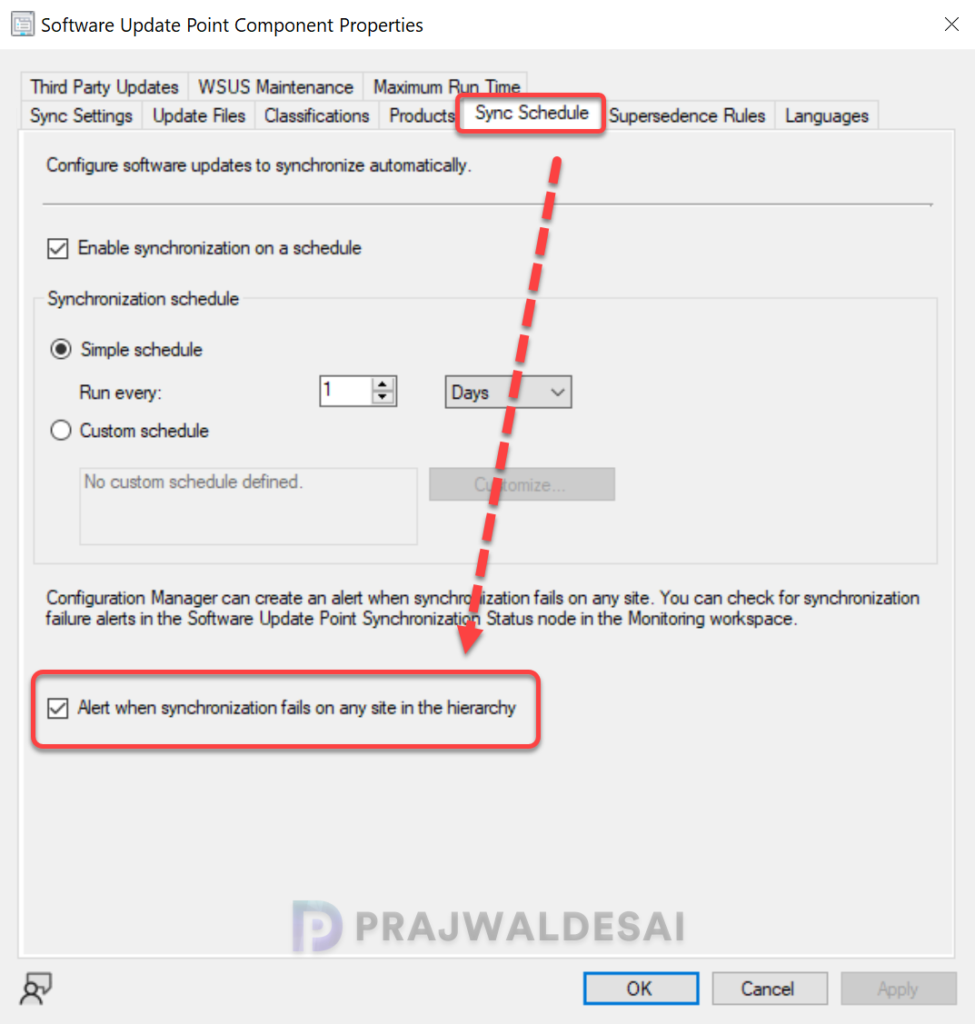
On the SUP component properties box, switch to the Sync Schedule tab and enable the option “Alert when synchronization fails on any site in the hierarchy“. Click Apply and OK to save the configuration changes.
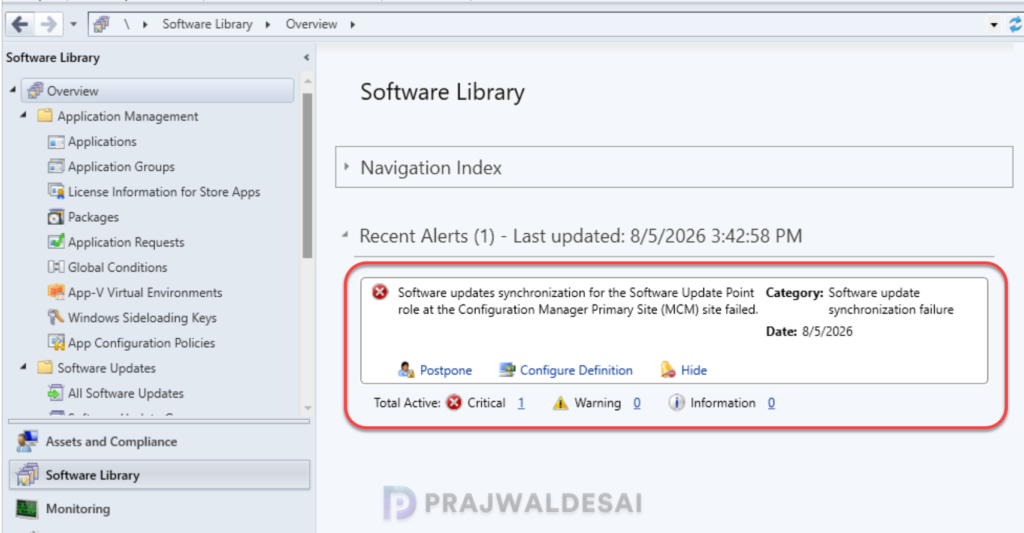
Example of Update Sync Failure Alert in Console
Once you’ve configured your site to trigger alerts whenever the SUP sync fails, the configuration manager console will display the alert whenever it detects the sync failures.
In the below image, you can see an example of an alert with the title “Synchronization failure alert for software update point: SMS Site Server (sitecode)“.
Seeing the alert, the administrator can click on it to get more details. Note that the alert doesn’t specify why the sync failed, and as I had mentioned earlier, you will need to review the logs (wsyncmgr.log and wcm.log) and the component health for further troubleshooting.
Enable SUP Sync Failure Alerts using PowerShell
In this method, I’ll show you how to enable the sync failure status alert for software update point using PowerShell. The set-cmsoftwareupdatepointcomponent cmdlet lets you configure the settings for a management point in Configuration Manager.
Launch the Configuration Manager console and click on the blue bar in the upper-left corner, and, from the drop-down menu, select Connect via Windows PowerShell. Run the following command in the PowerShell window to trigger an alert when the SUP role fails to sync.
Set-CMSoftwareUpdatePointComponent -EnableSyncFailureAlert $trueIf you wish to turn off the alerts, you can use the below command.
Set-CMSoftwareUpdatePointComponent -EnableSyncFailureAlert $false