

Microsoft has released a new security baseline 2602 for Windows Server 2025. The update brings 12 new Group Policy settings, focusing on enhanced NTLM auditing, refined sudo command behavior, strengthened printer RPC security, improved authentication hardening, and other critical enhancements.
It has been just eight months since the release of security baseline update 2506 for server 2025, and I am surprised to see a new baseline version 2602. Microsoft in their documentation mentioned that security baselines will be released more frequently to address emerging threats, incorporate new Windows features, and respond to community feedback.
The February 2026 Revision (v2602) of the baseline package can be downloaded from the Microsoft Security Compliance Toolkit. You can test the recommended Server 2025 configurations within your environment, tailor them to specific needs, and implement them accordingly. Meanwhile, you may consider joining the Windows Server insider program and providing your valuable feedback to Microsoft.
Download Security Baseline 2602 for Windows Server 2025
Visit the Microsoft Security Compliance Toolkit page. Click the Download button. Before you download, expand the Details column and make sure you see Windows Sever 2025 Security Baseline 2602 in the list of downloads.
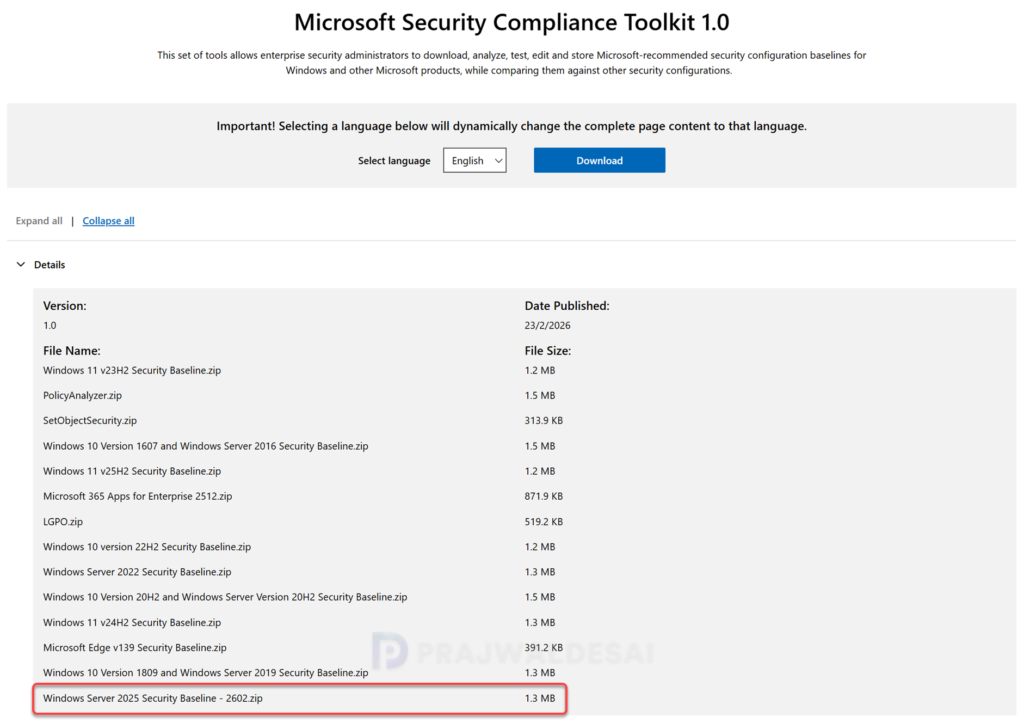
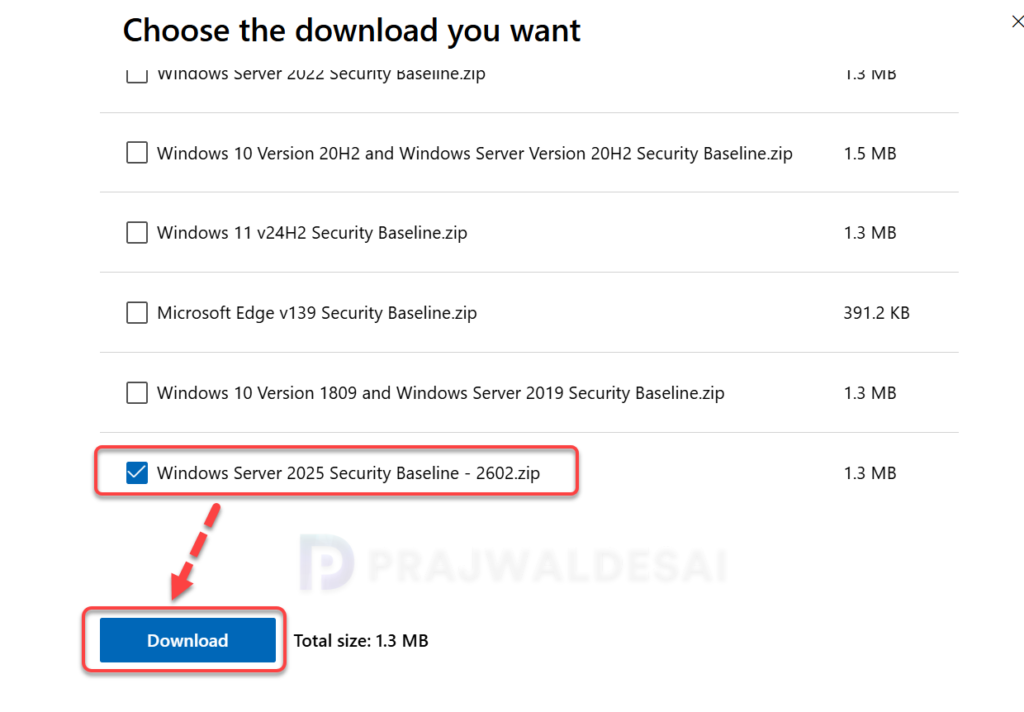
From the list of files, select Windows Server 2025 Security Baseline – 2602.zip and click the Download button. Choose a folder to save the file. Once downloaded, extract the .zip file into the selected folder. The extracted contents will include both baseline files and documentation detailing the baselines.
What is included in the Security Baseline package 2602?
The extracted security baseline v2602 update package contains the following components:
- Documentation: Includes new Settings in Windows Server 2025 v2602, MSFT-WS2025-v2602 Policy Rules, etc.
- GPOs: Exported GPOs.
- Scripts: Includes Baseline-ADImport.ps1, Baseline-LocalInstall.ps1, Config files, and tools.
- Templates: Contains MSS-legacy.admx, SecGuide.admx and corresponding adml files.
- GP Reports: Exported Group policy reports.
New Policy Settings in Security Baseline 2602
The security baseline v2602 update for Server 2025 introduces several enhancements made since the January 2025 release of the security baseline for Windows Server 2025. The enhancements are designed to enhance enterprise security and ensure better alignment with the latest standards. Details of the specific changes are provided in the table below.
| Security Policy Name | What’s Changed |
|---|---|
| Configure the behavior of the sudo command | Configured as Enabled: Disabled on both MS and DC |
| Configure Validation of ROCA-vulnerable WHfB keys during authentication | Configured as Enabled: Block on DC to block Windows Hello for Business (WHfB) keys that are vulnerable to the Return of Coppersmith’s attack (ROCA) |
| Disable Internet Explorer 11 Launch Via COM Automation | Configured as Enabled to prevent legacy scripts and applications from programmatically launching Internet Explorer 11 using COM automation interfaces |
| Do not apply the Mark of the Web tag to files copied from insecure sources | Configured as Disabled on both MS and DC |
| Network security: Restrict NTLM: Audit Incoming NTLM Traffic | Configured as Enable auditing for all accounts on both MS and DC |
| Network security: Restrict NTLM: Audit NTLM authentication in this domain | Configured as Enable all on DC |
| Network security: Restrict NTLM: Outgoing NTLM traffic to remote servers | Configured as Audit all on both MS and DC |
| NTLM Auditing Enhancements | Already enabled by default to improve visibility into NTLM usage within your environment |
| Prevent downloading of enclosures | Remove from the baseline as it is not applicable for Windows Server 2025. It depends on IE – RSS feed |
| Printer: Configure RPC connection settings | Enforce the default, RPC over TCP with Authentication Enabled, on both MS and DC |
| Printer: Configure RPC listener settings | Configure as RPC over TCP | Kerberos on MS |
| Printer: Impersonate a client after authentication | Add RESTRICTED SERVICES\PrintSpoolerService to allow the Print Spooler’s restricted service identity to impersonate clients securely |
