


Microsoft has released hotfix KB34503790 on September 8, 2025, a revised security update for SCCM versions 2403, 2409, 2503 that resolves the vulnerability described in CVE-2025-47178. The hotfix also improves the security of discovery data records (DDR) processing.
CVE-2025-47178 was originally resolved in the globally available release of Configuration Manager version 2503, and in KB33926600 for versions 2403 and 2409. This new revised update supersedes prior releases of the fix. For Configuration Manager versions 2403 and 2409, this update is listed under KB34503768. Read KB 34503790 hotfix information for more details.
Hotfix Availability
The KB 34503790 hotfix is available in the Updates and Servicing node of the Configuration Manager console for environments with the following update applied.
- KB28204160 update for version 2403
- KB30385346 update for version 2409
- KB32480179 update for version 2503
The KB 34503790 update only contains updates to site server and does not require a computer restart. However, a site reset is necessary after installation. Additionally, ensure the update is applied to secondary sites following its installation on primary sites.
Explore the comprehensive guide listing all hotfixes, updates, and rollups released for every version of Configuration Manager.
Installing KB34503790 Hotfix for SCCM
Launch the Configuration Manager console on the server. Navigate to Administration > Overview > Updates and Servicing. Select Configuration Manager 2503 Hotfix (KB34503790) and in the top-ribbon select Install Update Pack.

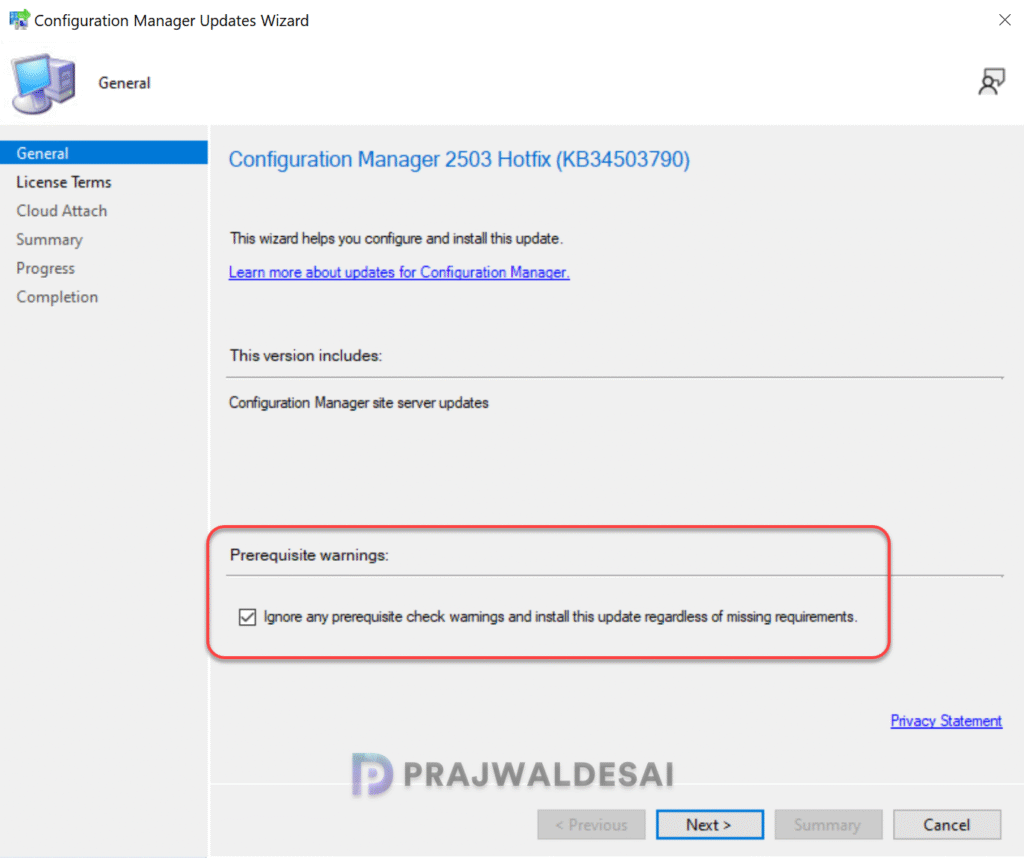
It is highly recommended that you run a prerequisite check for this update on your production server before installing it. For lab environments, you can enable the option Ignore any prerequisite check warnings and install the update. Click Next.
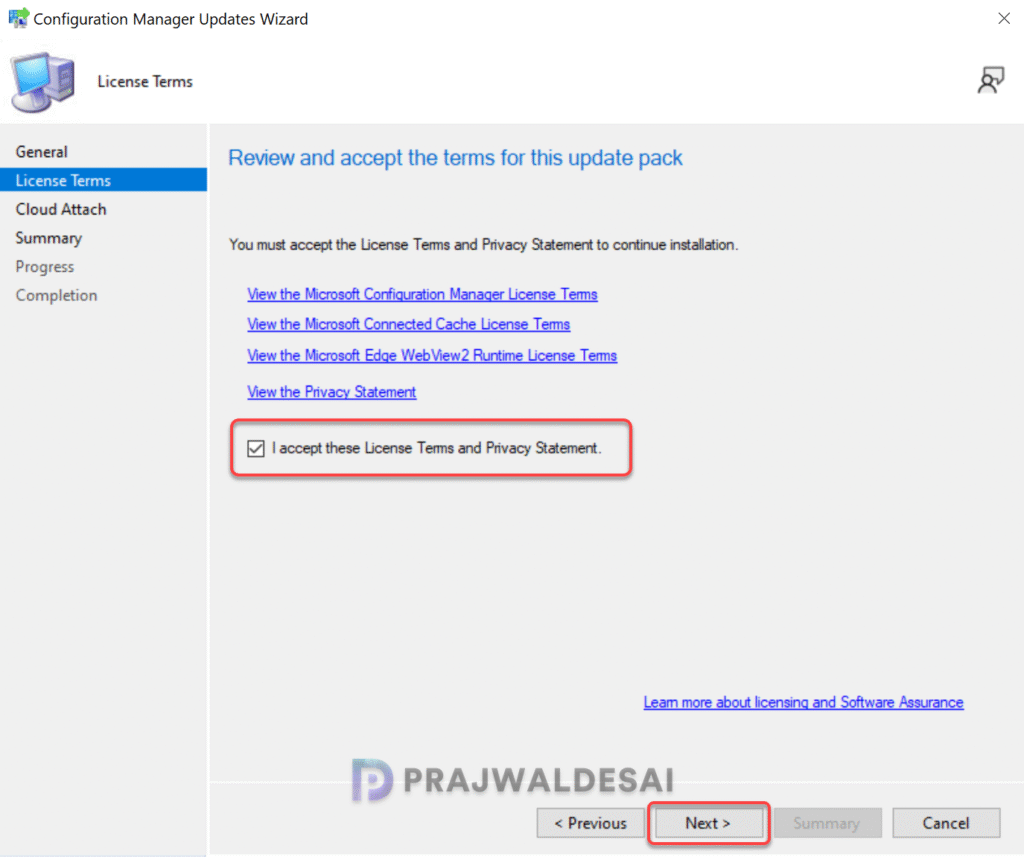
Accept the license terms for installing the hotfix. Click Next.
Review the hotfix configurations on the Summary page and click Next. Close the Configuration Manager updates wizard. The hotfix installation begins now.

Monitoring Hotfix Install Progress
While the hotfix installation is in progress, you can navigate to Monitoring > Overview > Updates and Servicing Status to see the detailed installation status for the update. Alternatively, you can monitor the hotfix installation process by reviewing the cmupdate.log file.
SMS Provider Updates
The KB 34503790 hotfix doesn’t include updates for the console or client agent. It contains only site server updates, so the SMS Provider (smsprov.dll) is updated to the following versions.
| CM Version | SMS Provider details |
|---|---|
| 2503 | 5.00.9135.1008 |
| 2403 | 5.00.9128.1034 |
| 2409 | 5.00.9132.1028 |
Updating Secondary Sites
After you’ve installed the KB 34503790 update on a primary site, pre-existing secondary sites must be manually updated. Read more about secondary site installation in SCCM to get an idea of how to install secondary sites in SCCM.
To update a secondary site in the Configuration Manager console, select Administration > Site Configuration > Sites > Recover Secondary Site, and then select the secondary site. Execute the following SQL Server query on the site database to verify if the secondary site’s update version aligns with its parent primary site.
select dbo.fnGetSecondarySiteCMUpdateStatus ('SiteCode_of_secondary_site')- If the value 1 is returned, the site is up-to-date, with all the hotfixes applied on its parent primary site.
- If the value 0 is returned, the site has not installed all the fixes that are applied to the primary site, and you should use the Recover Secondary Site option to update the secondary site.

Hello Prajwal,
can you confirm if the following update – KB34503790 needs a manual site reset ( as you mentioned you would be checking with Microsoft)
Best Regards
I don’t have a specific solution, but you could try performing a manual site reset.
Manual site reset or does the update take care of that?
The update should take care of that.
It looks like it is a manual step required after the Hotfix installation and its not taken cafe of by the patch.
The MS Hotfix information states that “This update doesn’t require a computer restart, but does require a site reset after installation.”
https://learn.microsoft.com/en-us/intune/configmgr/hotfix/2503/34503790
Paul, I’ll need to confirm this with Microsoft. I’m unsure why a manual site reset is necessary, as I’ve implemented this update on more than two sites without requiring manual reset.
I’ve upgraded to 2503 and installed KB34503790 in my dev environment but the previous hot fix released in June (KB33177653) is still showing as “Ready to Install” Is this also required?