


The SCOM 2025 Update Rollup 1 (KB5068304) has been released by Microsoft. The update (UR1) brings support for SQL Server 2025 and TLS v1.3 support for SCOM 2025.
KB5068304 is the first update released for Operations Manager 2025 since its initial launch. All the fixes addressed in SCOM 2022 UR3 and earlier hotfixes for Operations Manager 2025 are incorporated in this update rollup.
I will first discuss the list of new features and fixes included in UR1, followed by the procedure for applying this update. For more information, go through the SCOM 2025 UR 1 release details here.
New Features in Operations Manager 2025 UR1
Operations Manager 2025 Update Rollup 1 following new features included:
- Microsoft SQL Server 2025 Support: Compatibility with the latest SQL Server version for improved performance and scalability.
- TLS v1.3 Support: Enhanced security and compliance with the latest encryption standards.
- New Supported Platforms: The following new platforms are supported for monitoring in SCOM 2025 UR1.
- Oracle Linux 10
- Rocky 10
- Alma 10
- Red Hat Enterprise Linux (RHEL) Server 10
- Debian 13
Issues Addressed
Operations Manager 2025 Update Rollup 1 includes fixes for the following issues:
- Console Content Blocked: Resolved an issue where Operations Manager Console content was blocked by Internet Explorer control.
- Authoring Monitors Failure: The UR1 resolves a problem causing monitor authoring to fail in the console.
- Reset State Task Issue: This update addresses an issue where the Reset State task did not function for monitors linked to virtual Windows computer objects.
- Web Console Dashboard Columns: Resolved the issue preventing column resizing in the Active Alerts Dashboard.
- Topology Widget Icons: Resolved an issue where icons in Topology Widgets were not draggable.
- Contextual Widgets Functionality: Resolved an issue causing Contextual Widgets to malfunction.
- S2D Workflow Failure: Resolved a problem with S2D Workflows using the WMIEventDataSource, which failed with error 0x800706d3 (RPC_S_UNKNOWN_AUTHN_SERVICE) and caused a WMI memory leak.
- Web Console Image Blocking: Resolved an issue where images were blocked in the web console due to Content Security Policy (CSP) restrictions.
- The UR 1 has fixes for GB18030-2022 and its amendment.
Prerequisites
- You must run this update rollup as an administrator.
- If you would rather not restart the computer after you apply the console update, close the console before you apply the update for the console role.
- If this is a fresh installation of System Center Operations Manager 2025, after installation, wait for a few hours (generally 6–8 hours) before you apply this update rollup.
- If User Account Control is enabled, run the .msp update files at an elevated command prompt.
Download Operations Manager 2025 Update Rollup 1
SCOM 2025 UR1 update packages are available from Microsoft Update or by manual download. If you wish to download the update manually, visit Microsoft Update Catalog. The Microsoft Update Catalog contains the downloads for individual SCOM roles. Next to each role, click on the Download button to get the update files.

The browser downloads a cab file that needs to be extracted to a folder using a utility such as 7zip or WinRAR to get the actual .msp update file. I have downloaded the updates for individual roles and placed them in a folder.
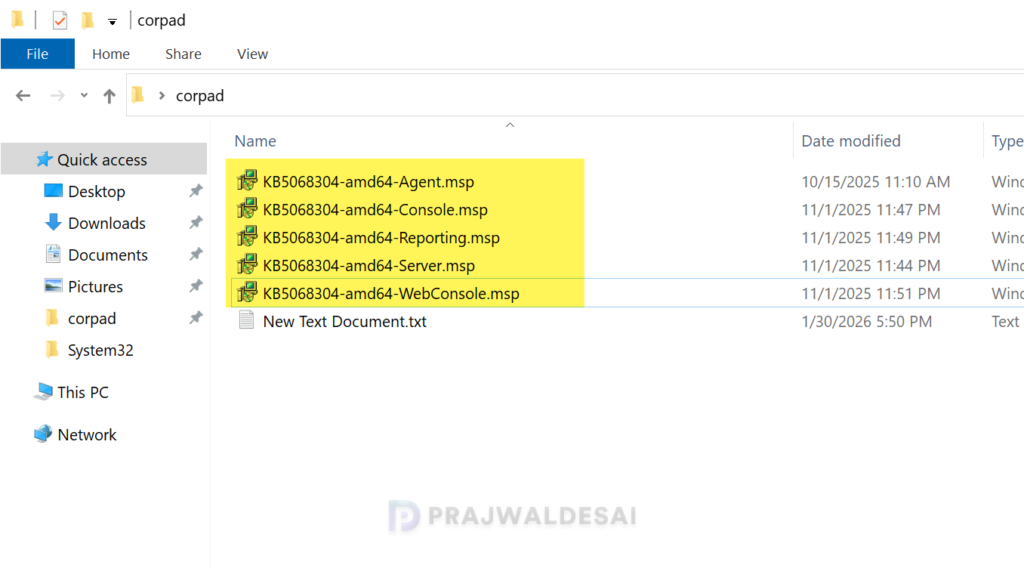
Install Update Rollup 1 for SCOM 2025
For SCOM administrators who prefer a one-click Update Rollup installer, KB5068304-amd64-Server.exe for Simplified SCOM Management Server Patching is available at Microsoft Download Center.
This streamlined update will exclusively target the management server, databases, and management packs. All other components must still be patched using the current process.
For the supported installation sequence of SCOM 2025 UR1 role updates, apply the update rollup package to the following server infrastructure.
Upgrading Agents
This is an important step after installing the update rollup. After patching the UR1 for SCOM 2025, all agents that need an upgrade will be placed in pending management. Approve them to upgrade to the latest version – 10.25.10994.0.
